





A4
A4 Model 1
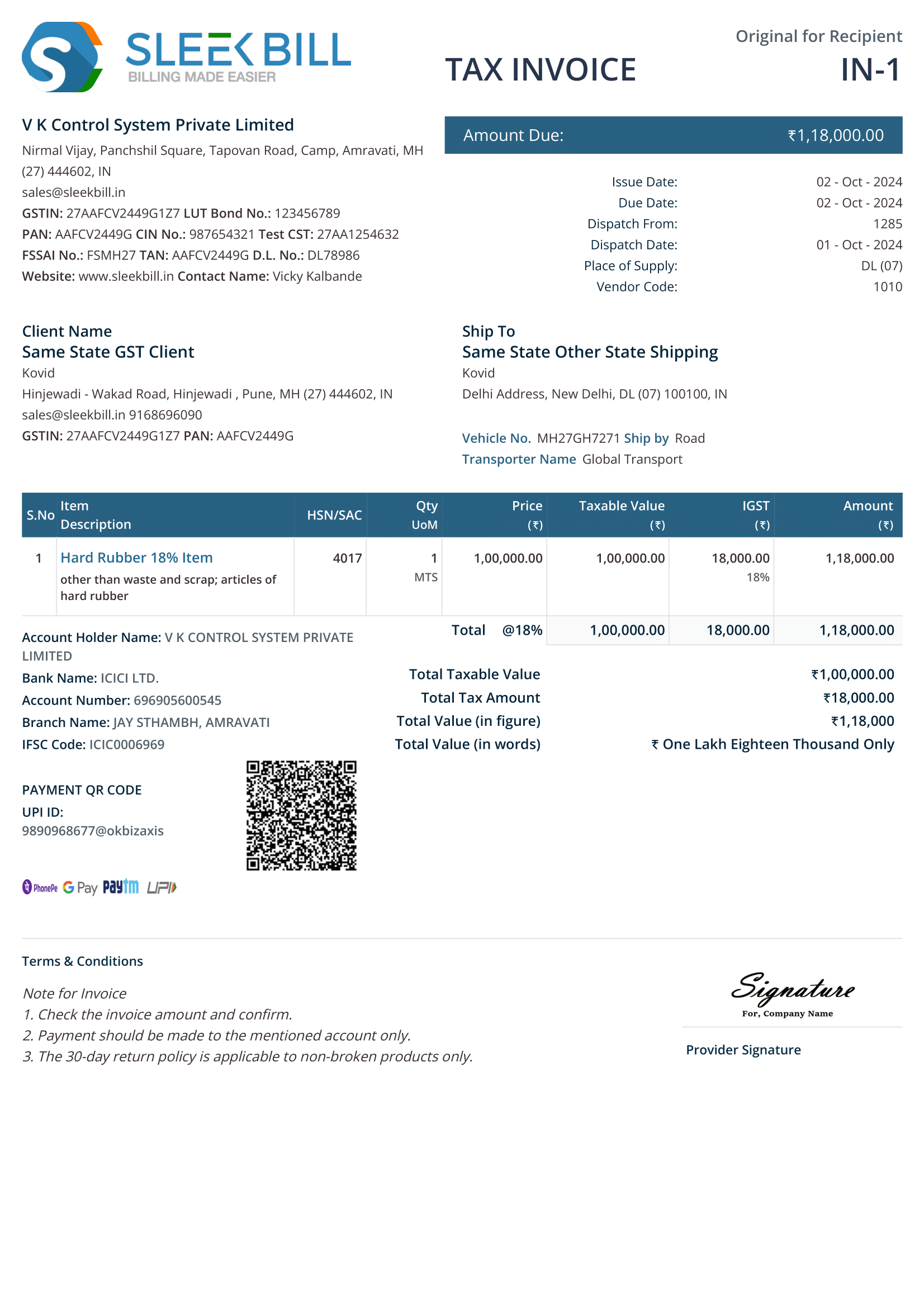
Everyday goods invoices with a detailed item table.
 View larger sample ↗
A4 PDF · 4 pages

Download PDF, Word and Excel samples for goods, services, B2B and B2C billing. Compare print layouts and understand the fields before you issue an invoice.

Start with the transaction, then choose a layout. PDF is useful for viewing; Word and Excel let you adapt the sample. Check every field, formula and tax rate before issuing it.
Everyday goods invoices with a detailed item table.
View larger sample ↗
A4 PDF · 4 pages
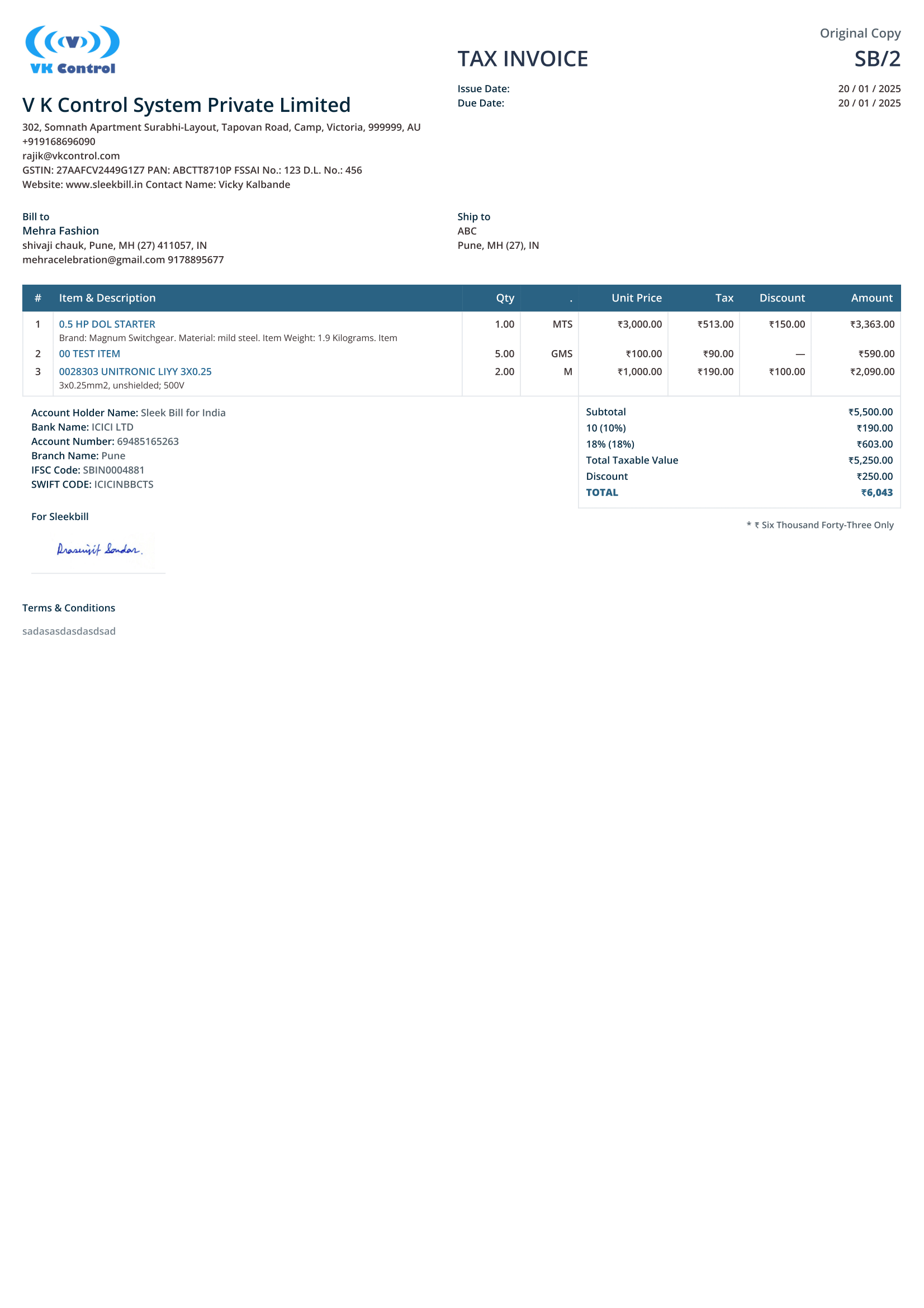
Item quantities, units and product details for goods billing.
 View larger sample ↗
A4 PDF · 1 page
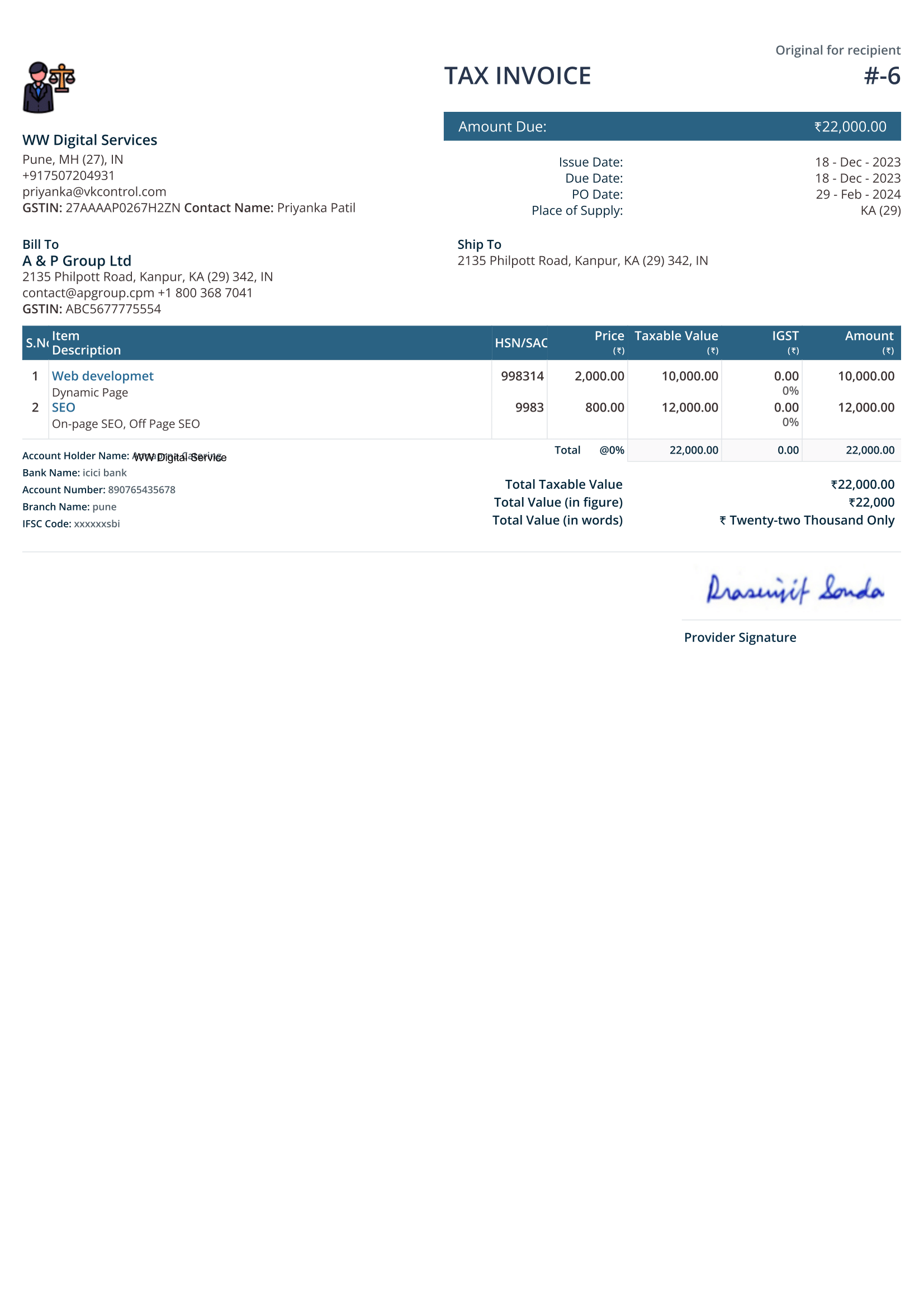
Service descriptions and SAC details for professional billing.
 View larger sample ↗
A4 PDF · 1 page
Registered-business recipients; enter the customer GSTIN.
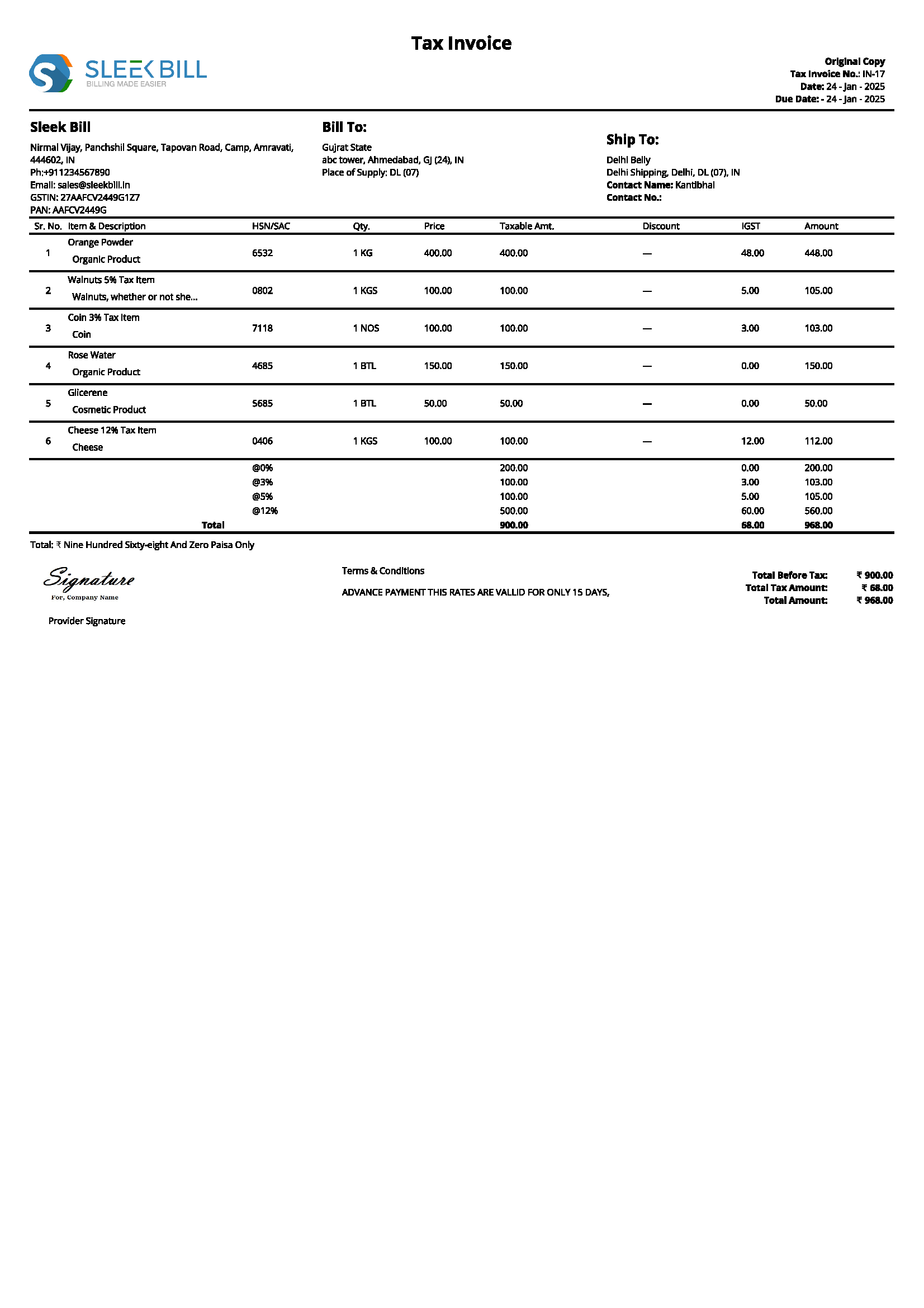 View larger sample ↗
A4 PDF · 1 page
Consumer billing; apply recipient-detail rules where relevant.
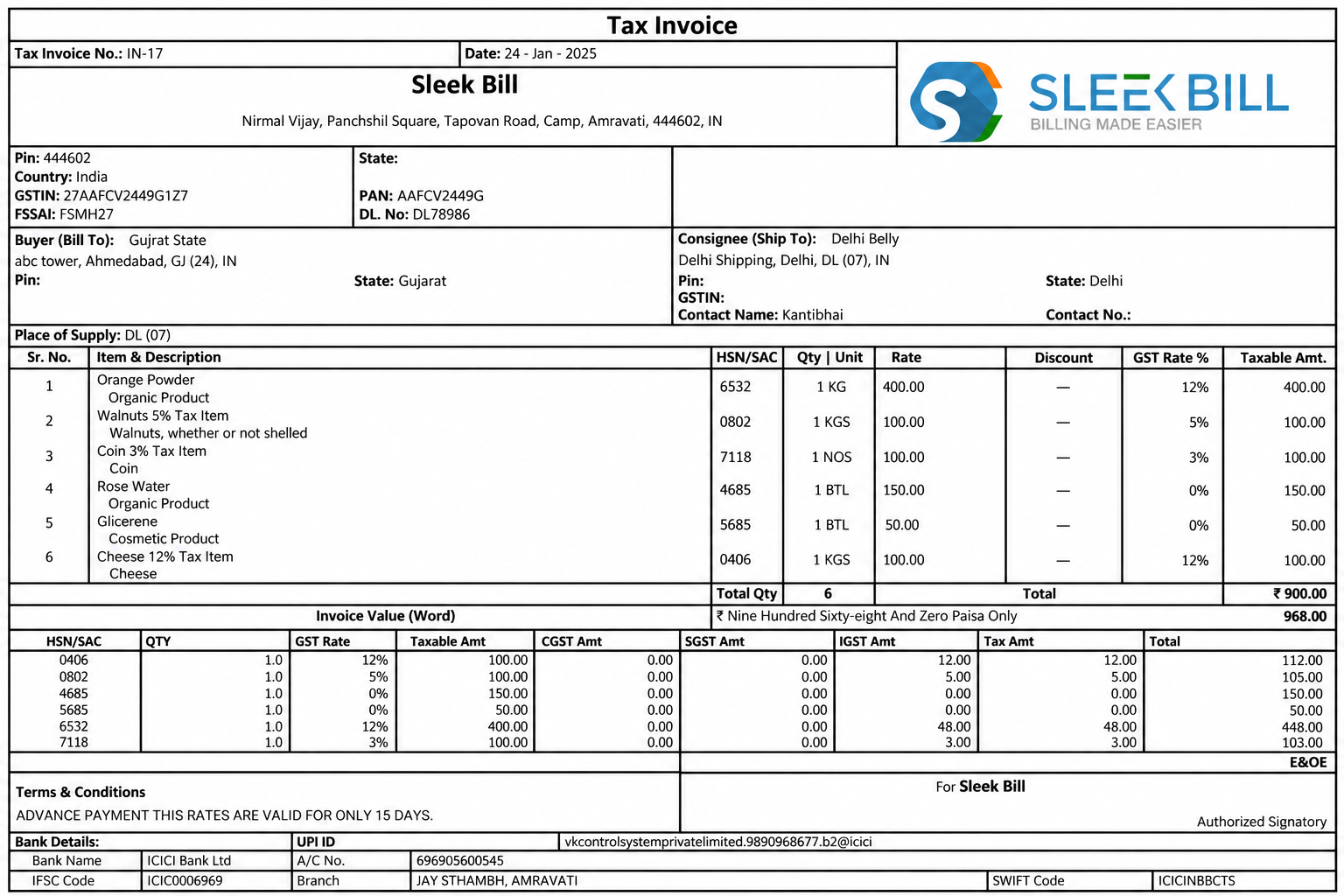 View larger sample ↗
A4 PDF · 1 page
A smaller invoice design for short product or service lists.
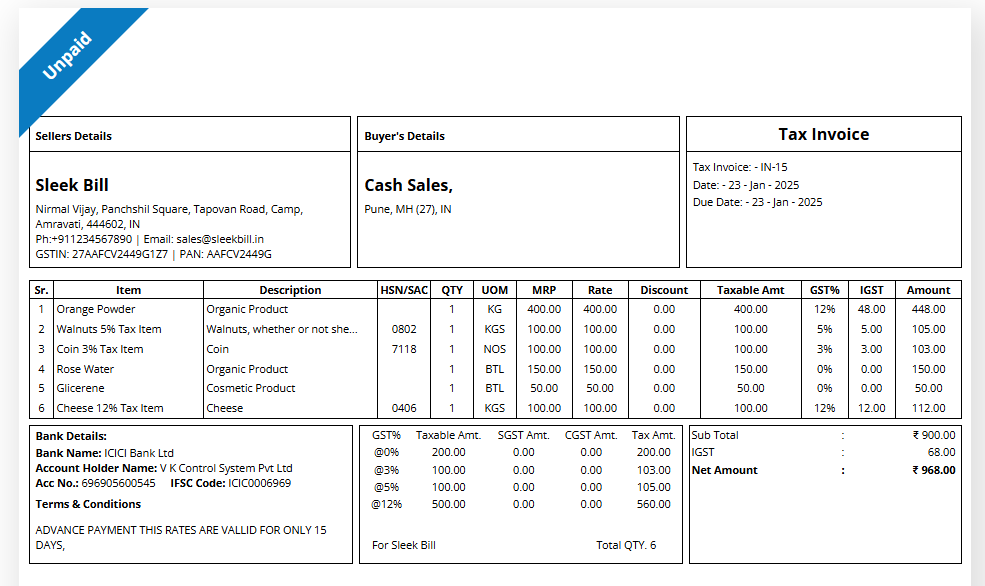 View larger sample ↗
A5-style layout on an A4 landscape PDF
Short item lists for counters and small retail sales.
 View larger sample ↗
Compact layout on an A4 PDF page
Narrow receipt-style layout for counter billing.
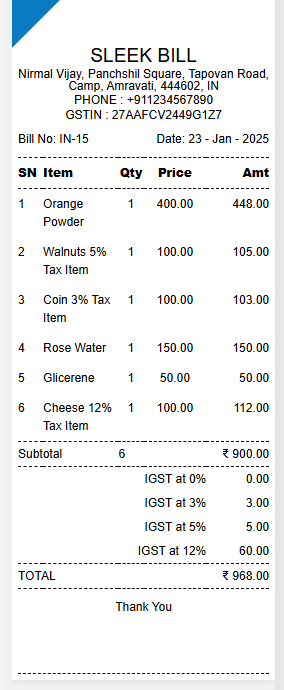 View larger sample ↗
Thermal-style sample on an A4 PDF page
A narrower receipt-style layout for short bills.
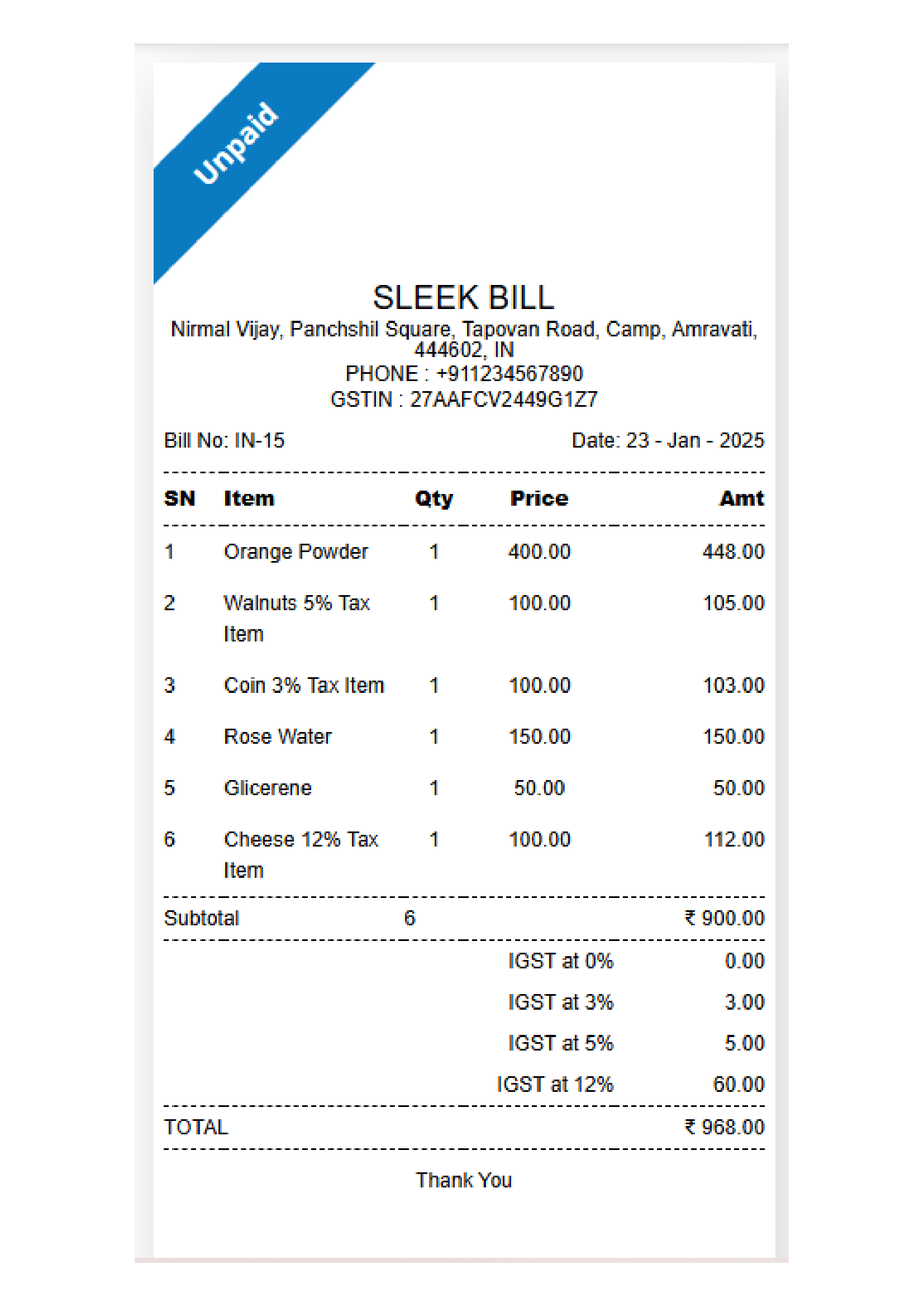 View larger sample ↗
Thermal-style sample on an A4 PDF page
No format matches both choices. Change a filter or select Reset.
Downloads checked on 17 October 2026. These are sample documents, not a certification of tax treatment. Example dates, businesses and rates must be replaced. Excel samples may contain incomplete or no calculation formulas.
Looking for the right GST invoice format for your business? Take a look at these layouts and see which one fits your products or services, your customer types, and your billing style. Some options are compact or set up for thermal printing, but they're shown here on A4 PDFs—so double-check your print settings before you hit print.
| Format | Layout | Best for |
|---|---|---|
| A4 Model 1 | A4 | Everyday goods invoices with a detailed item table |
| A4 Model 4 · Goods | A4 | Goods with quantities and units |
| Service provider format | A4 | Services with SAC details |
| A4 Model 2 · B2B | A4 | Registered-business customers (GSTIN) |
| A4 Model 5 · B2C | A4 | Consumer billing |
| A5-style compact layout | A5-style layout on an A4 landscape PDF | Short product or service lists |
| A6-style compact layout | Compact layout on an A4 PDF page | Counters and small retail sales |
| 80 mm / 3-inch thermal style | Thermal-style sample on an A4 PDF page | Receipt-style counter billing |
| 58 mm / 2-inch thermal style | Thermal-style sample on an A4 PDF page | Short receipt-style bills |
Making a GST invoice doesn’t need to be tricky. Once you understand which invoice format fits your business and what tax details to include, things get a lot easier. Here’s a quick guide to the basics, including how to handle numbering, tax details, and e-invoicing.
A GST invoice is a tax invoice that any registered business issues, as covered under Section 31 of the CGST Act. Rule 46 lists what you must include, so it’s a good idea to double-check its checklist every time you prepare one. Check the Rule 46 checklist before preparing your invoice.
No. The rules tell you which details must be covered but don’t tie you to a single format or design. You’re free to use any layout that works for your business, as long as it includes every field required for each transaction.
Every GST invoice should have a serial number that's unique for the whole financial year, and must be 16 characters or fewer. It can have letters or numbers, and you can use hyphens (-) or slashes (/). Need some inspiration? Check out our GST invoice number format guide for examples and extra tips, see our GST invoice number format guide.
Include your business name, address, and GSTIN. If your customer is registered, include their GSTIN or UIN as applicable. For an unregistered customer, the name and address, delivery address, and State name and code are required when the taxable value is ₹50,000 or more, or for a lower value when the customer requests these details, subject to the applicable rules.
Generally, when the supplier's location and place of supply are in the same State or Union Territory, CGST and SGST or UTGST apply. For an inter-State supply, IGST generally applies. Supplies to or by an SEZ are also treated as inter-State supplies. Read our GST tax treatment guide for more details.
GST guidance generally requires 4-digit HSN codes on B2B invoices for certain businesses with aggregate turnover up to ₹5 crore, and 6-digit codes for those above ₹5 crore, subject to applicable rules and exemptions. SAC codes are used to classify services. Check the latest notification and our HSN and e-invoice summary before issuing an invoice.
The deadline depends on the type of supply. For goods, invoice timing depends on whether you need to move the goods or simply deliver them or make them available without any movement. For services, you're usually expected to issue an invoice within 30 days, but there are a few exceptions. If you want to get specific, check out Section 31 of the CGST Act to see which rules apply to your situation.
If you're registered under the composition scheme or supplying exempt goods or services, you generally issue a bill of supply instead of a tax invoice, subject to applicable provisions. The right document depends on your transaction. Explore the different types of GST documents to understand which one to use.
No. Creating or downloading an invoice in Word, Excel, or PDF doesn't make it a GST e-invoice. Where e-invoicing rules apply, invoice data must be reported to an Invoice Registration Portal (IRP) to obtain an Invoice Reference Number (IRN) and a signed QR code. The general turnover threshold is above ₹5 crore in any financial year from 2017–18 onwards, subject to notified exemptions. Check the latest requirements before relying on this threshold.
Match your billing situation to a sample above. A layout is a starting point; the tax treatment depends on the actual supply.

Short item lists for walk-in customers usually fit the A6-style, 80 mm or 58 mm thermal-style layouts, or the A4 Model 5 · B2C. These are layout styles placed on A4 PDF pages, so print a test first.
See the A6-style layout
Goods sold to registered businesses need quantity, unit, HSN and the customer GSTIN. The A4 Model 4 · Goods and A4 Model 2 · B2B samples are built around those fields.
See the B2B format
The service provider format has service descriptions and SAC details. Check the timing rule for services in the questions below before you set your billing dates.
See the service provider format
The A4 Model 1 has a detailed item table for routine goods invoices, with room for the tax columns that apply to your supply.
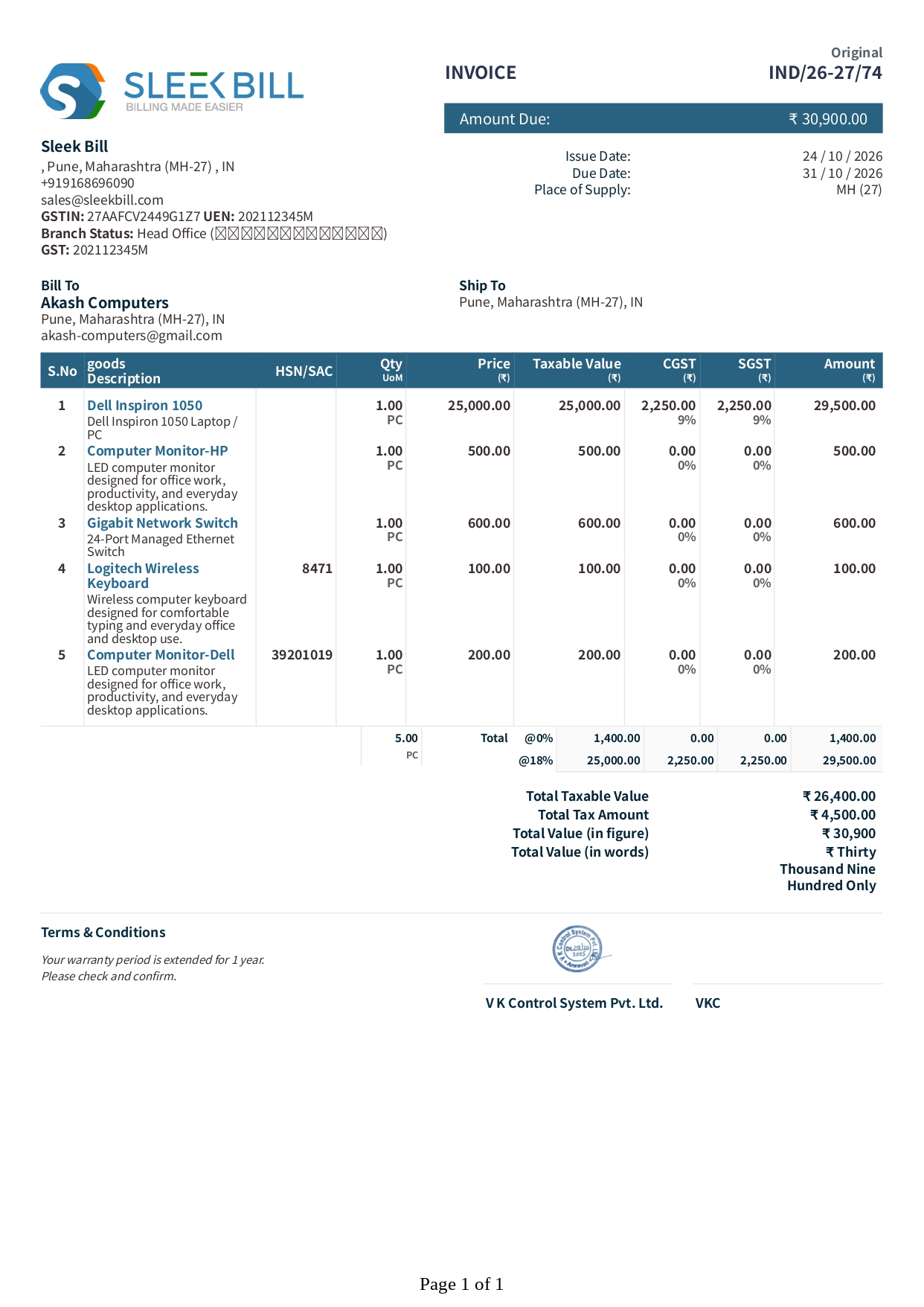
See A4 Model 1Let's break down a typical GST invoice—from the supplier’s info right through to the total amount due. Here’s what you’ll usually see: both supplier and buyer details, invoice number, descriptions of the products or services, GST amounts, and the grand total. The GST rate itself changes depending on what’s being supplied.
 1
2
3
4
5
6
7
1
2
3
4
5
6
7
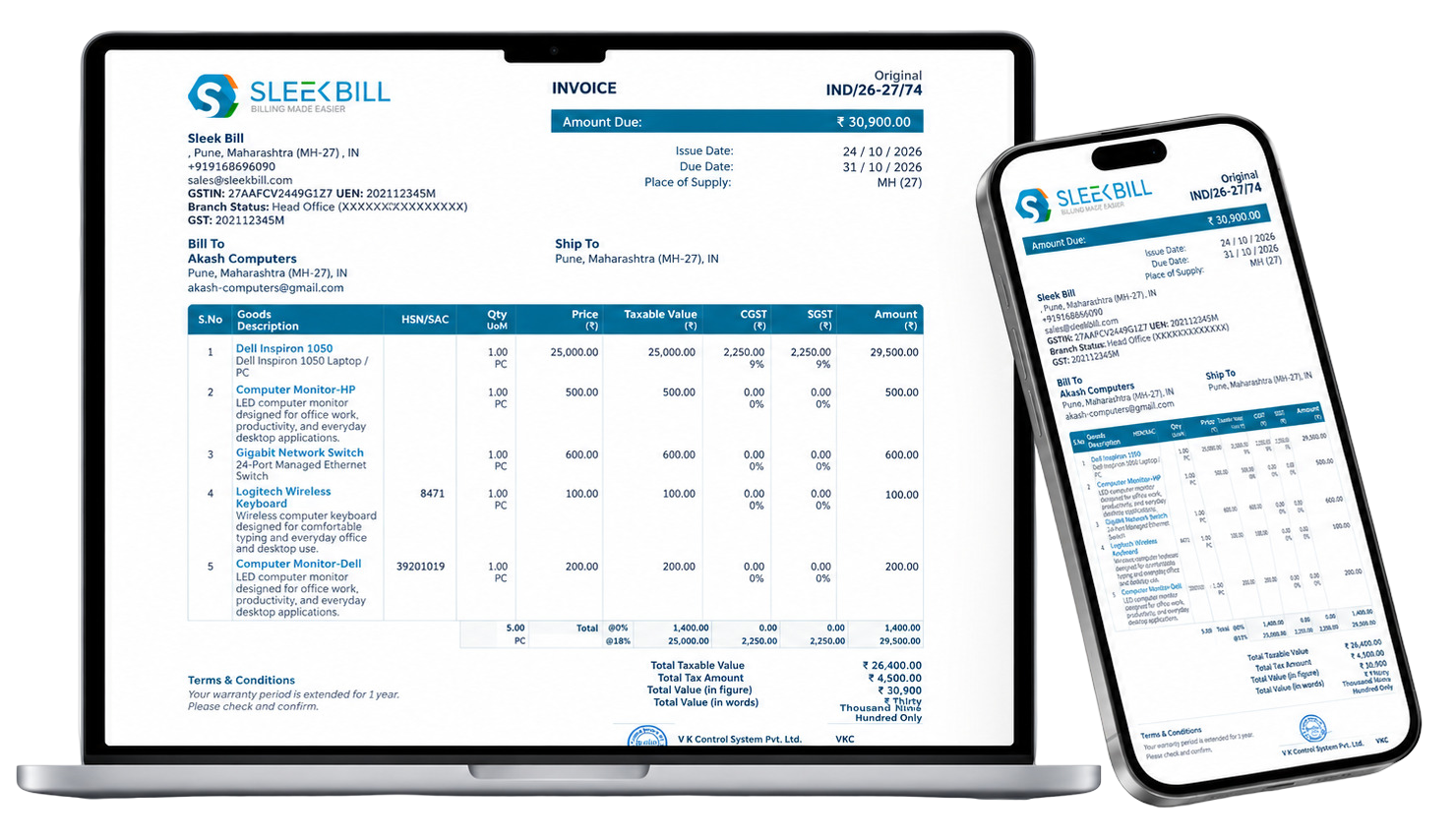
The supplier section contains the business name, address, contact details and GSTIN, where applicable. In this example, the supplier is Sleek Bill, located in Pune, Maharashtra.
This section displays the invoice number IND/26-27/74, issue date of 24 October 2026, due date of 31 October 2026 and the amount due of ₹30,900.
This section identifies the customer receiving the invoice. The example lists Akash Computers in Pune, Maharashtra, along with its contact details.
The shipping section specifies where the goods are delivered. Here, the delivery location is Pune, Maharashtra. The place of supply is shown separately where required.
The item table lays out each product—like a Dell laptop, monitors, a network switch, or a wireless keyboard—with details including HSN/SAC codes when needed, quantities, unit prices, taxable values, CGST, SGST, and line-item totals.
The summary section pulls it all together, showing a total taxable value of ₹26,400, tax of ₹4,500, and a final invoice value of ₹30,900. Make sure the item-level tax amounts and GST rates match up with the summary before you finalize anything.
The bottom section may contain payment terms, warranty details, a signature or authorisation. Reverse-charge details and e-invoice particulars, including IRN and QR code where applicable, should also be provided as required.
For statutory invoice requirements, refer to CBIC GST Invoice Rules and CGST Rule 46.
Choose a layout for readability; choose the document and tax treatment under the applicable rules.
A B2B recipient has a GSTIN/UIN where registered. For an unregistered recipient, record name, address, delivery address and State/code at taxable value ₹50,000 or more; below that, record them when requested. Specified online service supplies have additional State-detail rules.
Goods need quantity and unit details. Use the relevant HSN/SAC classification for the supply. Applicable code-digit requirements and exceptions depend on notifications; do not copy a sample code or rate without checking. See the HSN digit summary .
A Word, Excel or PDF file alone does not generate an IRN. Check e-invoice applicability and notified exemptions. Electronic-invoice signature exceptions and special QR requirements must be considered separately. See the e-invoice limit summary .
If you’re a composition taxpayer, or you’re dealing with exempt supplies, you’ll probably use a bill of supply instead of a normal tax invoice. If you have both taxable and exempt supplies on the same invoice, check the documentation rules for how to handle mixed transactions.
Learn about a bill of supply →Sources: Rule 46, including its provisos · CBIC bill-of-supply guidance · IRP applicability guidance .
Rule 46 of the CGST Rules sets out what a tax invoice must contain. Use this plain-language checklist with the annotated sample above.
| Particular | What to enter | When it applies |
|---|---|---|
| Supplier details | Name, address and GSTIN of the supplier | Every tax invoice |
| Invoice number | Consecutive serial number, unique for the financial year, up to 16 characters | Every tax invoice |
| Date of issue | The invoice date | Every tax invoice |
| Registered recipient | Name, address and GSTIN/UIN | Recipient is registered |
| Unregistered recipient | Name, address, delivery address, State name and State code | Taxable value ₹50,000 or more; below that, when the recipient asks |
| HSN or SAC code | Classification code of the goods or services, with the digits required for your turnover | See the HSN summary below |
| Description | Description of the goods or services | Every tax invoice |
| Quantity and unit | Quantity and unit of measure | Goods |
| Values | Total value of the supply and the taxable value after discount or abatement | Every tax invoice |
| Tax rate and amount | Rate and amount of CGST, SGST/UTGST, IGST and cess, as applicable | Every tax invoice |
| Place of supply | Place of supply with the State name | Inter-State supply |
| Delivery address | Address of delivery | When it differs from the place of supply |
| Reverse charge | Whether tax is payable on reverse charge | State it on the invoice |
| Signature | Signature or digital signature of the supplier or an authorised representative | Subject to the notified exceptions |
| QR code and IRN, or declaration | A QR code with the Invoice Reference Number where the invoice is issued as an e-invoice; otherwise the declaration the rule requires | Taxpayers above the notified e-invoice turnover |
CGST 9% = ₹900 and SGST 9% = ₹900. Taxable value ₹10,000 plus ₹1,800 tax gives an invoice total of ₹11,800.
IGST 18% = ₹1,800. Taxable value ₹10,000 plus ₹1,800 tax gives the same invoice total of ₹11,800.
The 18% rate is only an illustration. Use the rate that applies to your goods or services, and confirm the place of supply before choosing CGST/SGST or IGST.
This summarises Rule 46 in plain language; the rule’s provisos and notified exceptions control. Some industries follow special invoice provisions under Rule 54. Read the rule text for your supply: Rule 46, including its provisos . Summary reviewed on 25 October 2026.
An invoice number is a unique code assigned to every invoice your business issues. Think of it as a fingerprint for each sale. GST rules require tax invoices to carry a unique serial number, which helps you track sales, maintain tax records, manage customer accounts, verify transactions during audits, and handle e-invoicing where applicable.
Businesses often focus on GST rates and return deadlines but overlook invoice numbering. An inconsistent numbering system can make recordkeeping and reconciliation more difficult. Getting it right from the beginning helps keep your invoices organised and your GST records easier to manage.
The basic idea is simple: invoice numbers must follow a consecutive sequence, remain unique within the financial year, and contain no more than 16 characters. You can use letters, numbers, hyphens (-), slashes (/), or a combination of these.
Every invoice in a financial year must have a distinct serial number within its series. Never reuse a number for another invoice in the same series.
Correct:
INV001, INV002, INV003
Incorrect:
INV001, INV002, INV001
Duplicate numbers can make it harder to match invoices, reconcile transactions, and maintain accurate GST records.
The invoice serial number must not exceed 16 characters. Choose a format that is easy to read and leaves enough room for your numbering sequence.
Examples that fit:
INV-2026-001
FY26/INV/1001
Avoid lengthy numbers that go beyond the prescribed character limit.
Follow a clear sequence, such as INV001, INV002, INV003, and INV004. If a number is skipped or an invoice is cancelled, keep the relevant records and follow the applicable requirements rather than reusing the number casually.
A well-maintained sequence makes it easier to review your records and explain any gaps during an audit.
If your business operates from multiple branches or locations, you can use separate invoice series to help identify where each invoice was issued. Each series must still follow the applicable GST numbering rules.
For example:
Mumbai: MUM001
Delhi: DEL001
Pune: PUN001
This approach makes it easier to organise invoices and track sales by branch.
Many businesses prefer to start a fresh numbering sequence at the beginning of a new financial year. This makes invoices easier to organise by year.
Example:
FY25-001, FY25-002, FY25-003
FY26-001, FY26-002, FY26-003
You can use a financial-year prefix as part of your numbering system, provided the serial numbers remain consecutive, unique within the financial year, and within the 16-character limit.
Keep a clear record of every invoice you issue, including its number, date, customer details, and transaction value. If an invoice is cancelled or a numbering gap occurs, maintain the relevant records and an explanation wherever required.
Good recordkeeping makes it easier to trace transactions, reconcile GST returns, and provide supporting documents during an audit.
Two checks that decide how your invoice must look. Confirm both against the latest notification before you rely on them.
| Aggregate annual turnover | Digits to show |
|---|---|
| Up to ₹5 crore | 4 digits on B2B invoices |
| Above ₹5 crore | 6 digits |
| Question | Answer |
|---|---|
| Who must issue e-invoices? | Registered businesses whose aggregate turnover exceeded ₹5 crore in any financial year from 2017-18 onwards, subject to notified exemptions. |
| Has the limit changed? | The ₹5 crore threshold has applied since 1 August 2023. Guidance published up to June 2026 shows no change. |
| How is an e-invoice created? | Invoice data is reported to the Invoice Registration Portal (IRP), which returns the IRN and a signed QR code. |
| Is a template an e-invoice? | No. A Word, Excel or PDF file does not generate an IRN. |
Summarised from published GST guidance on 25 October 2026. Notifications change, so check the CBIC invoice rules and the IRP applicability guidance before issuing. Need e-invoicing? See our e-invoice software and the e-invoice tutorial .
A tax invoice is not the only document you may need. Pick the one that matches the supply.
Issued by a registered person for taxable supplies, with the particulars listed in Rule 46.
Used for exempt supplies and by composition taxpayers instead of a tax invoice.
Learn about a bill of supply →Where a registered person supplies both taxable and exempt goods or services to an unregistered person, Rule 46A allows a single invoice-cum-bill of supply. It must carry the particulars required by Rule 46 or 54, and Rule 49.
For supplies under ₹200 to an unregistered recipient who does not ask for an invoice, a registered person may issue a consolidated invoice at the end of the day instead of one per sale. Check the Rule 46 provisos.
A registered person whose registration takes effect from an earlier date may issue revised tax invoices for supplies made before the certificate was issued, within the period allowed by Rule 53.
To change the value or tax on an invoice you have already issued, use a debit note for an increase or a credit note for a decrease.
See the credit note format →Issued when you receive an advance payment before supplying the goods or services.
See the receipt voucher →State on the invoice whether tax is payable on reverse charge. Reverse-charge supplies also have separate invoice and payment-voucher requirements; check section 31 and Rule 52 for your case.
Sources: Rule 46, including its provisos · CBIC invoice rules .
Choose a layout for readability; choose the document and tax treatment under the applicable rules.
A B2B recipient has a GSTIN/UIN where registered. For an unregistered recipient, record name, address, delivery address and State/code at taxable value ₹50,000 or more; below that, record them when requested. Specified online service supplies have additional State-detail rules.
Goods need quantity and unit details. Use the relevant HSN/SAC classification for the supply. Applicable code-digit requirements and exceptions depend on notifications; do not copy a sample code or rate without checking.
A Word, Excel or PDF file alone does not generate an IRN. Check e-invoice applicability and notified exemptions. Electronic-invoice signature exceptions and special QR requirements must be considered separately.
Composition taxpayers and exempt supplies generally use a bill of supply rather than charging GST through an ordinary tax invoice. Check the document rules for mixed taxable and exempt supplies.
Learn about a bill of supply →Sources: Rule 46, including its provisos · CBIC bill-of-supply guidance · IRP applicability guidance .
The supplier’s location and the legally determined place of supply matter. A customer’s “Ship To” address alone is not a complete test.
Where supplier location and place of supply are in the same State/UT, CGST plus SGST/UTGST generally applies, subject to statutory exclusions.
Different supplier-location and place-of-supply States/UTs generally mean IGST. Determine place of supply under the relevant goods or services provisions, including bill-to/ship-to rules.
Supplies to or by an SEZ unit/developer are treated as inter-State even within the same State. Zero-rating for supplies to an SEZ is subject to authorised-operation and other conditions.
Exports require the applicable statutory conditions and invoice endorsement; an overseas address does not automatically make every supply an export. Deemed exports are notified goods supplies that do not leave India, not simply Indian billing with overseas shipping.
Sources: IGST Act, sections 7–13 · CBIC SEZ clarification · CGST Act, section 147 . More on SEZ supplies · Export invoice guide .
Choose goods or services first, then registered-business (B2B) or consumer (B2C) details. Finally choose a readable A4, compact or thermal-style layout. A layout does not decide your tax rate.
The rules prescribe particulars and conditions rather than requiring one universal visual layout. A template must still include the fields applicable to your supply.
Use PDF to view a finished sample. Use Word to edit the document layout, or Excel to work with cells and calculations. Check formulas and totals; the supplied workbooks are not guaranteed automatic tax calculators.
Not directly. Those samples are placed on A4 PDF pages, including an A4 landscape page for the A5-style sample. Configure page size and scaling and print a test before issuing invoices.
For goods, section 31 generally links issue to removal where movement is involved, or delivery/making available otherwise. Services generally have a 30-day period, with specified 45-day and other exceptions. Check the rule for your supply.
No. When e-invoicing applies, prescribed invoice data must be reported to an IRP to obtain the IRN and signed QR code. A downloaded template or payment QR code is not a substitute.
Timing: CGST Act, section 31 and invoice timing rules . E-invoice process: official Invoice Registration Portal .

Get help as you start using Sleek Bill.

Across the Sleek Bill product family.

Choose a downloadable format, or create and manage your invoices with Sleek Bill Online.
Want a walkthrough? Book Free Demo ↗