The Essentials of Computer Billing Software for Business Success
Managing invoices. purchase bills and financial transactions efficiently is essential for every business. A computer billing software helps automate invoicing, purchase bills, payments, expenses and financial record-keeping, reducing manual errors and saving time and money.
In this guide, we explore the best computer billing systems, key features, benefits, and how businesses can optimize their financial management with modern billing solutions.
Why Use a Computer Billing Software?
Small businesses often struggle with manual billing, possibilities of errors, delays, and inefficiencies and corrections. A computerized billing system provides numerous advantages:
1. Faster Invoicing
-
Generate invoices on just a finger tips.
-
Use multiple pre-designed templates customized with your company logo.
-
Send invoices via email, pdf, or link instantly.
2. Easy Payment Collection
-
Accept payments via UPI, NEFT/RTGS and net banking.
-
Auto-generate receipts upon payment confirmation.
3. Cloud-Based Accessibility
-
Access billing data from anywhere, anytime.
-
Sync across multiple devices securely.
Eliminate data loss with cloud backups.
4. Paperwork Reduction & Accuracy
-
Automate billing records and tax calculations.
-
Avoid human errors in accounting and financial reporting.
Easily generate tax-ready reports like GST summaries.
5. Enhanced Security
How to Create Invoicing in Sleek Bill
-
Login in Sleek Bill
-
Click on Invoices
-
Click on new button and select new invoice
-
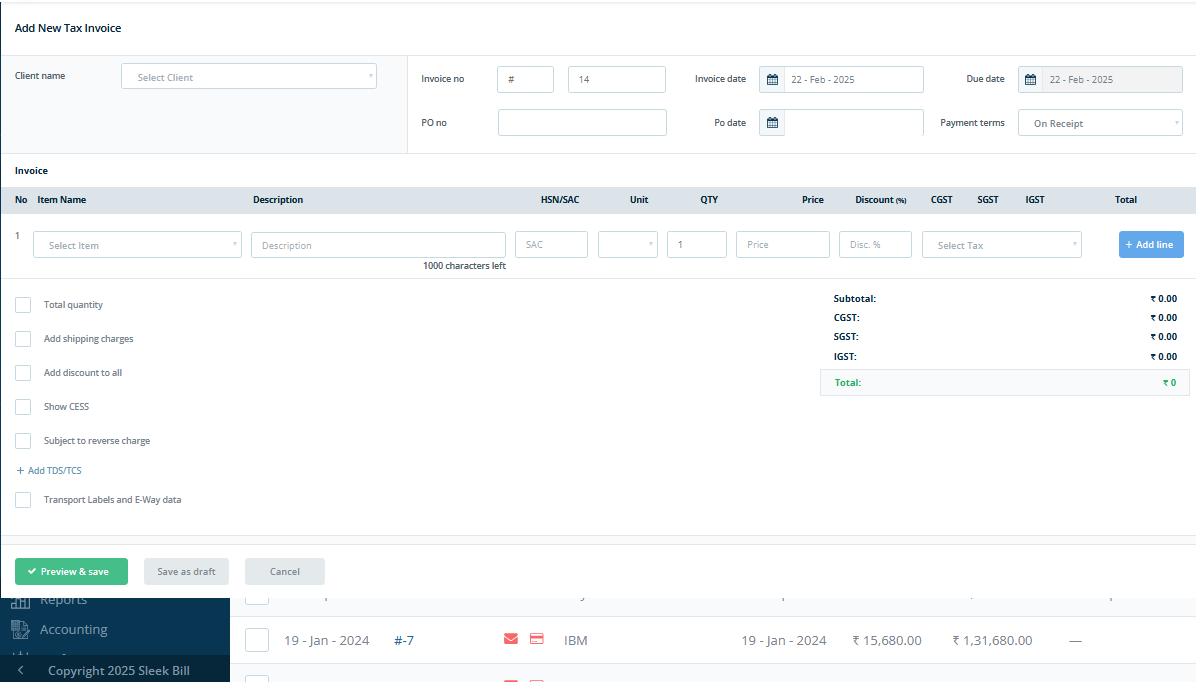
Open Select client name, invoice number, invoice date, PO date, Due Date,
-
Select Item name , quantity, discout then click on add items, repeate again till add required items
-
Add optional value which is required.
-
Click on save and preview
Download Sales Invoice Format
-
Select template and share through mail or link or pdf.
Key Features of Computer Billing Software
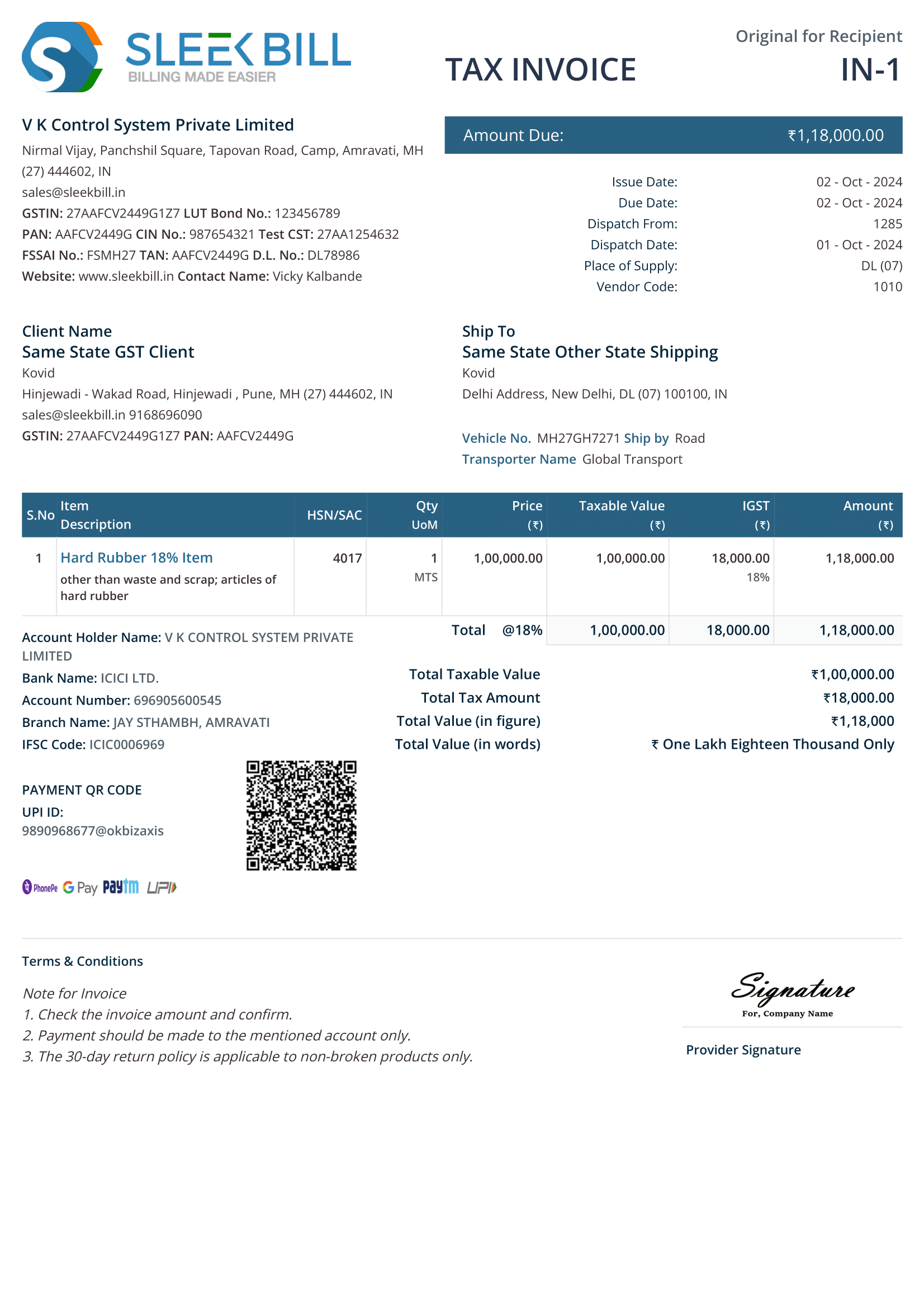
1. Quotations, Estimates & Proforma Invoices
-
Create, send, and convert estimates into invoices.
-
Track client approvals and modifications.
2. Invoicing & Billing
-
Generate GST-compliant invoices.
-
Follow-up recurring invoices for according to invoice status.
-
Add discounts, taxes, and shipping costs .
3. Comprehensive Business Reports
-
Dashboard with real-time insights.
-
Follow-up recurring invoices for according to invoice status.
-
Reports on best-selling products, accounts receivable (AR) aging, and top customers.
4. Purchase & Expense Management
5. Inventory Management
6. Account Management
Advanced Features for Business Growth
-
1
E-Way Bill & E-Invoicing
• Generate legally compliant e-way bills for transportation.
• Automate GST e-invoicing to stay tax-compliant.
-
2
GST Reports & Compliance
• Generate monthly, quarterly, and annual GST reports.
• Auto-fill GSTR-1, GSTR-3B, and other tax filings.
-
3
Credit & Debit Notes Management
• Issue credit notes for refunds and discounts.
• Generate debit notes for supplier corrections.
-
4
Delivery Challans
• Track goods in transit with digital delivery challans.
• Convert delivery challans into invoices easily.
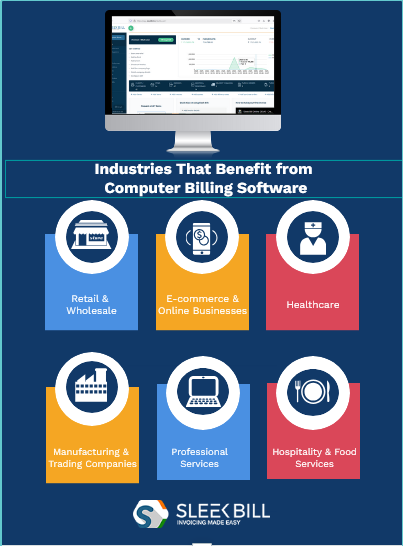
Investing in a computer billing software is a smart decision for small businesses in India. It simplifies billing process, financial management, ensures tax compliance, and helps businesses stay organized and make operation smooth.
Whether you're a retailer, service provider, or manufacturer, trader, consultant, freelancers a Sleek Bill billing solution ensures seamless invoicing, payment tracking, and financial reporting.
Start using a smart billing system today and take your business to the next level!

 Call For Demo 9168696091/92/93







 Call Back Request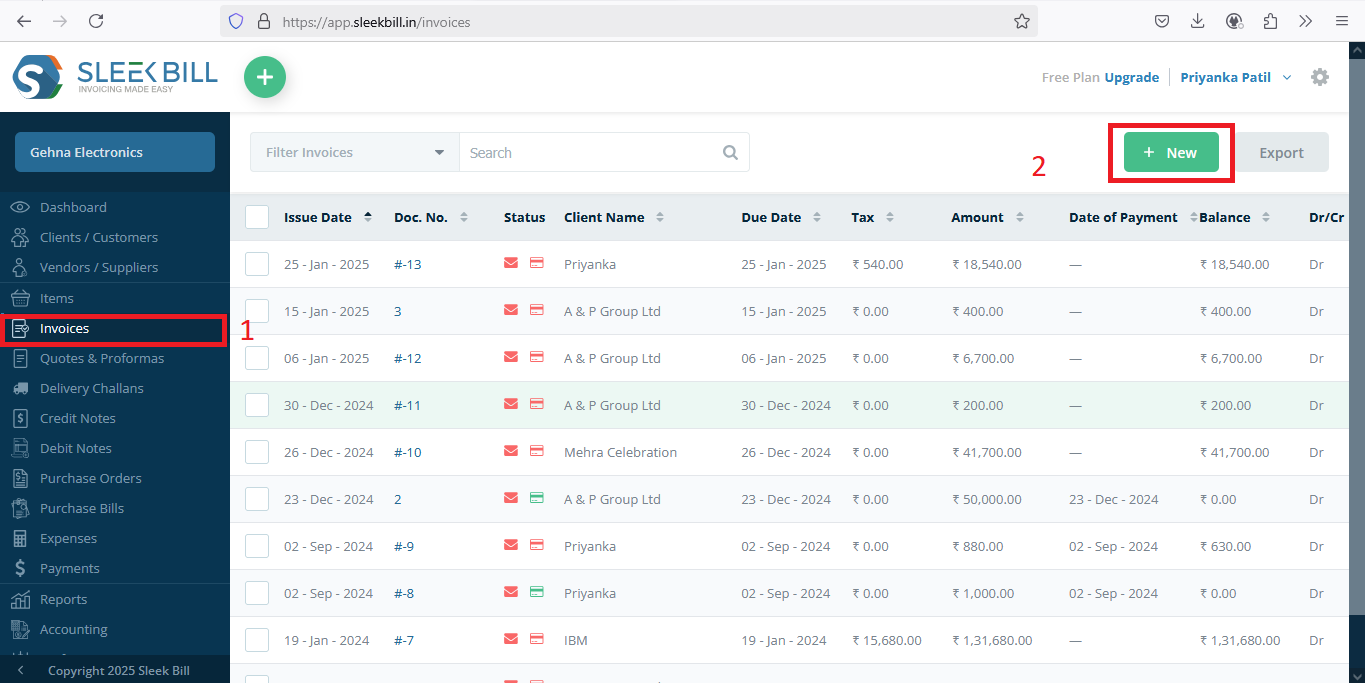
 GST Invoice Format
 GST Billing Benefits

 GST Credit Note
 GST Online Advantages





 Free training & support
 60K Happy Customers Worldwide
 Serious about