
 Call For Demo 9168696091/92/93


 Call Back Request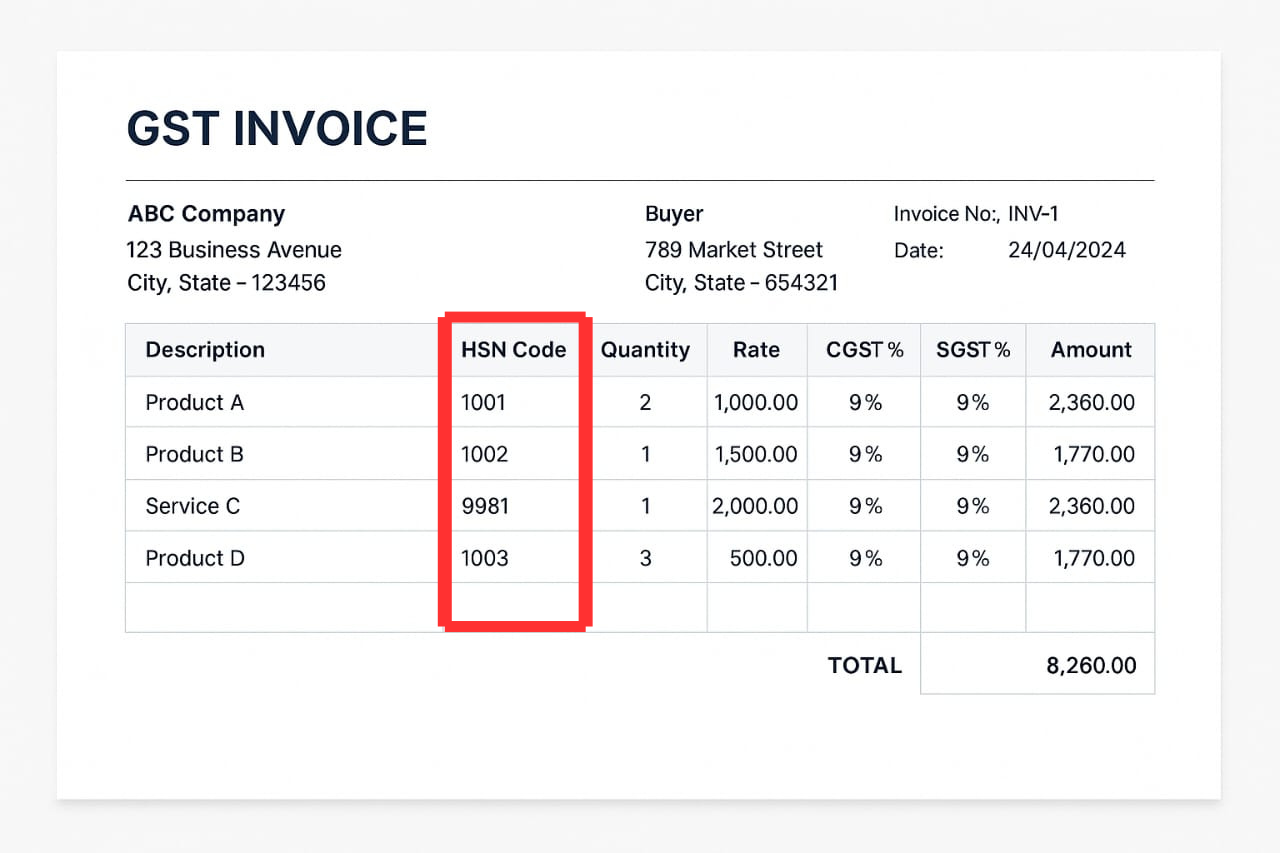
What does HSN Code means?
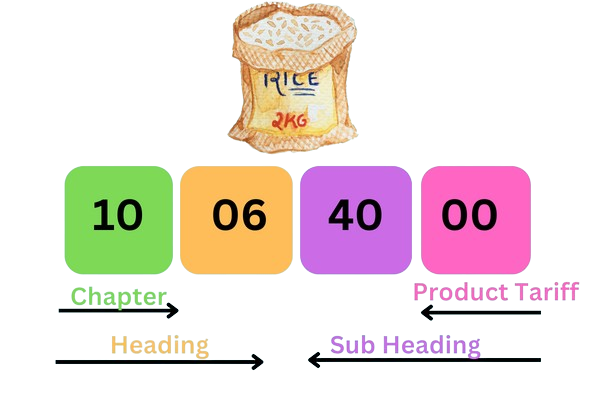
The HSN (Harmonized System of Nomenclature) is an readily available 6-digit code that aids to filter products all over the world.
-
First 2 digits: Chapter (broad category)
-
Next 2 digits: Heading (subcategory)
-
Last 2 digits: Sub-heading (specific product)
Uniform classification of goods.
Easy identification of applicable GST rates.
Compliance with tax regulations.
Turnover > Rs. 5 crore: Must mention 6-digit HSN codes.
Turnover ≤ Rs. 5 crore: 4-digit HSN for B2B invoices; optional for B2C.
Purpose of HSN Codes:
HSN Reporting Thresholds (As of April 1, 2021):
Mandatory Information in a GST Invoice
To stay compliant, a GST invoice needs to have the following details:
-
Supplier name, corresponding address, and GSTIN.
-
Unique invoice number.
-
Invoice date.
-
Buyer details (name, GSTIN, address).
-
HSN code for goods or SAC for services.
-
Item description.
-
Quantity and unit.
-
Price and discounts.
-
Applicable GST rates (CGST, SGST, IGST).
-
Tax amount.
-
Place of supply.
-
Reverse charge applicability.
-
Supplier signature (physical or digital).
How to Add HSN Code in Sleek Bill ?
Sleek Bill makes HSN integration effortless. Here are two ways:
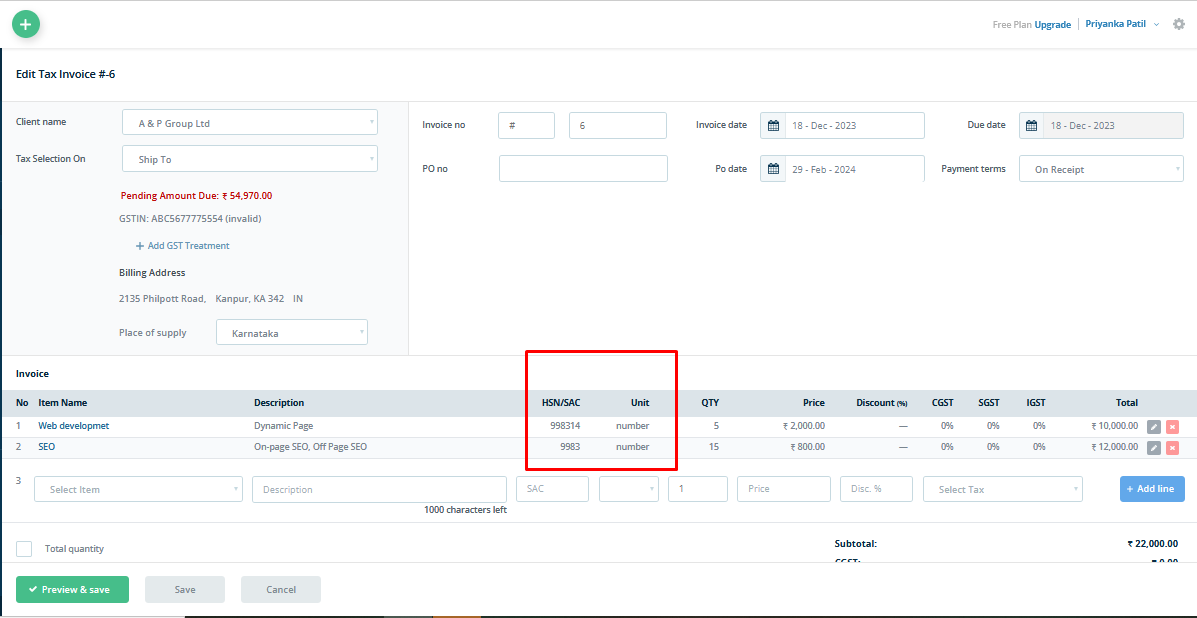
Login to Sleek Bill
Click on "Items"
Enter details: Item name, description, HSN code, sales/purchase price, discount
- Click Save
Method 1: Add Individually While Saving Item
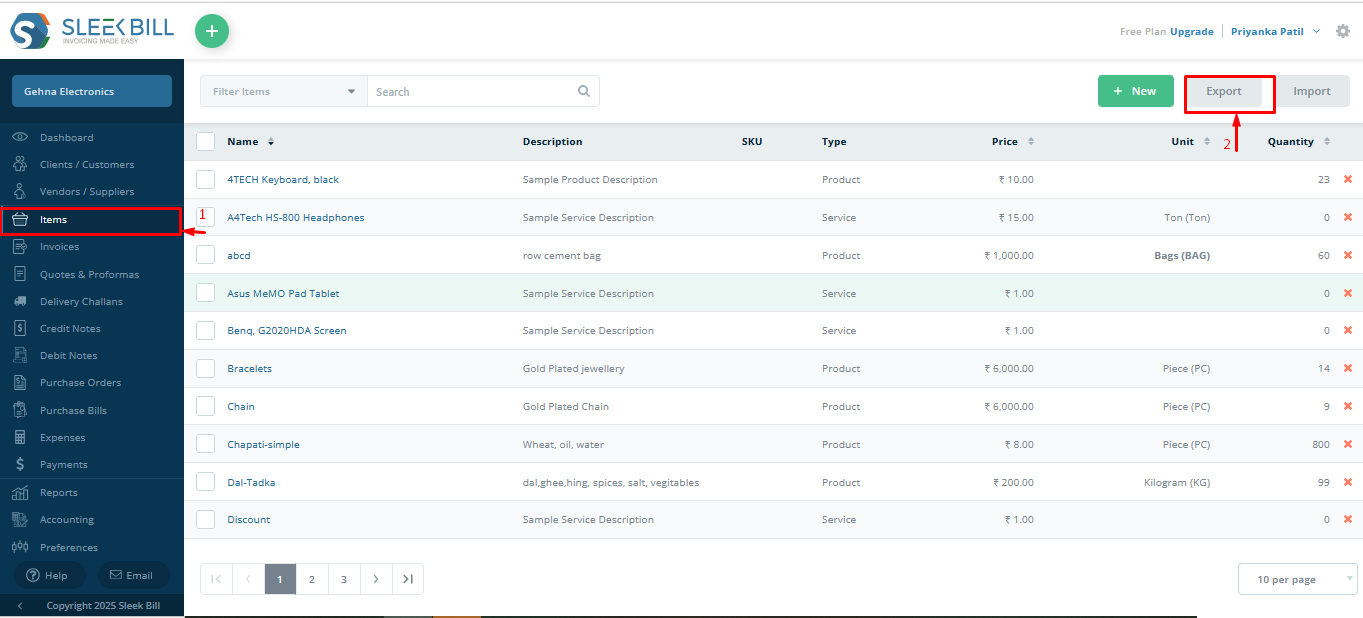
Go to Items > Export
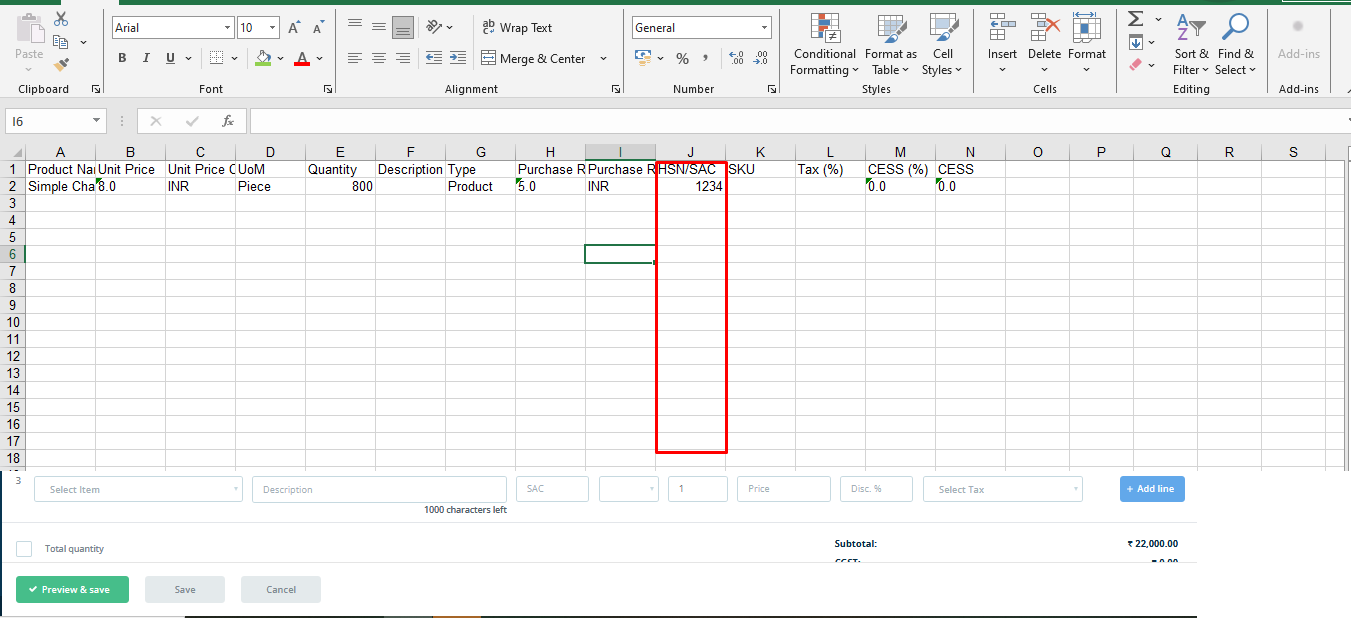
Fill HSN codes in the exported Excel sheet
Click Import and upload the updated file
Method 2: Add in Bulk via Excel Import
How to Create GST Invoices with HSN Codes ?
Creating invoices with HSN codes is just a few clicks away:
Step-by-Step:
Login to Sleek Bill
Click on New > Tax Invoice
Select client name
Select item name (If HSN is saved, it appears automatically)
Confirm HSN code, price, GST rate, and discount
Add terms and conditions
Click on Save & Preview
Choose your desired invoice template
Click Save and Share or Download PDF
One Dashboard for All Business Needs
Sleek Bill gives you a centralized view of:
Invoices
Delivery challans
Bills of supply
Payments and Expenses
Stock reports and sales insights

 GST Invoice Format
 GST Billing Benefits


 GST Credit Note
 GST Online Advantages





 Free training & support
 60K Happy Customers Worldwide
 Serious about