A Complete Guide to Digital Signature Certificate for GST Filing and Compliance.
*Free & Easy - no hidden fees.
 Call For Demo 9168696091/92/93







In these modern day digital tax environment, it is critical to ensure that online transactions are secured and approved. The Digital Signature Certificate (DSC), which serves as a digital substitute for a physical signature, is necessary for compliance with the Goods and Services Tax (GST). A DSC assists in confirming your identification and enhancing your information if you submit taxes, claim refunds, or register for GST. This blog illustrates what it means of DSC in GST, what it means, and what to do to register and apply it.
A Digital Signature Certificate (DSC), it is the digital analog of a handwritten signature, is used to confirm an individual's or entity's online registration. By enabling taxpayers to electronically sign files, it secures the accuracy and legitimacy of the data posted on the GST system.
Issued by Certifying Authorities licensed under the Controller of Certifying Authorities (CCA).
Comes in Class 1, Class 2, and Class 3, with Class 3 being mandatory for GST compliance.
Linked to PAN-based identity.
Stored in a secure USB token.
Valid for 1 to 2 years.
A DSC is not just a convenience—it's a statutory requirement for many entities under the GST regime. Here’s why DSC is crucial:
Mandatory for certain taxpayers like companies, LLPs, and FLLPs.
Ensures secure online filing of GST returns and registration.
Required for uploading signed documents, especially in audited accounts.
Speeds up GST refund processing by digitally verifying information.
Reduces chances of fraudulent claims or impersonation.
The objective of Sleek Bill is to simplify GST compliance. Even non-accountants can perform taxation with ease since to its robust features and simple to use design.
E-invoicing was introduced in phases according to business turnover.
Entity Type: Authorized User for DSC.
Individuals / Proprietorship: Authorized Signatory (can be the individual or guardian).
Hindu Undivided Family (HUF): Karta (head of the family); if unavailable, an adult family member.
Private Ltd. / One Person Company / Others: CEO, Managing Director, or any Director appointed.
LLPs / Partnerships: Designated Partner or nominated signatory.
Government Agencies: Local authority or officially nominated officer.
Associations / Societies / Trusts: Nominated signatory or Trustee.
The Class 3 DSC is the highest level of digital certificate currently used in India. It is mandatory for filing GST and offers:
Strongest encryption for signing and security.
Applicability for both individuals and organizations.
Stored on a secure USB token.
Validity of 1 or 2 years, renewable thereafter.
Pre-requisites:
Valid Class 3 DSC with PAN.
EmSigner utility installed on your system.
Compatible browser (Chrome, Firefox, or Internet Explorer).
USB token plugged into your computer.
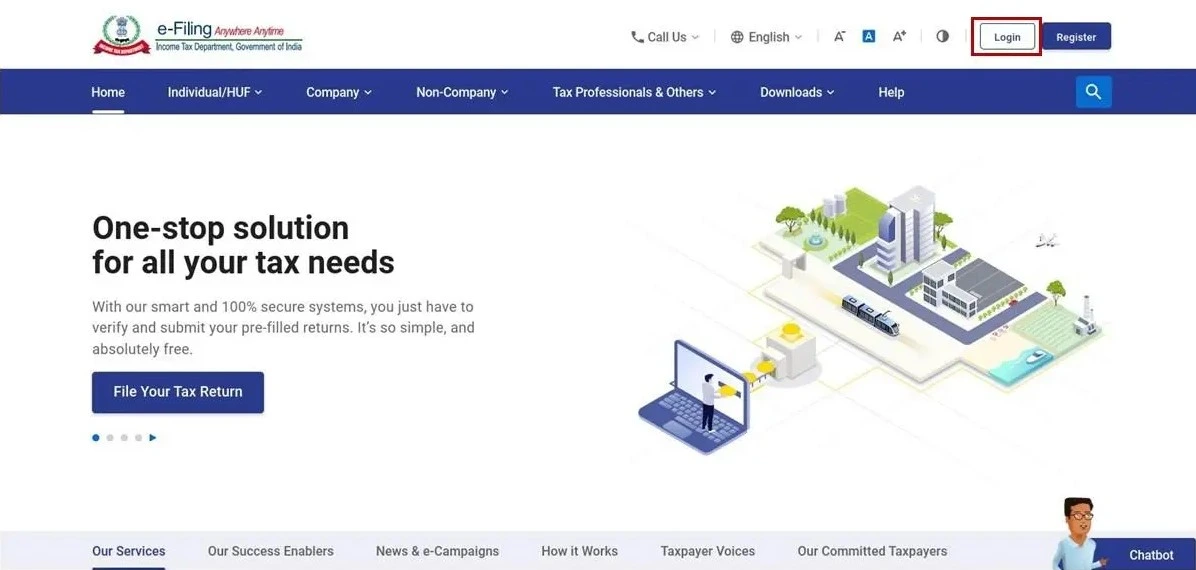
Step 1: Open browser and go to e-Filing portal.
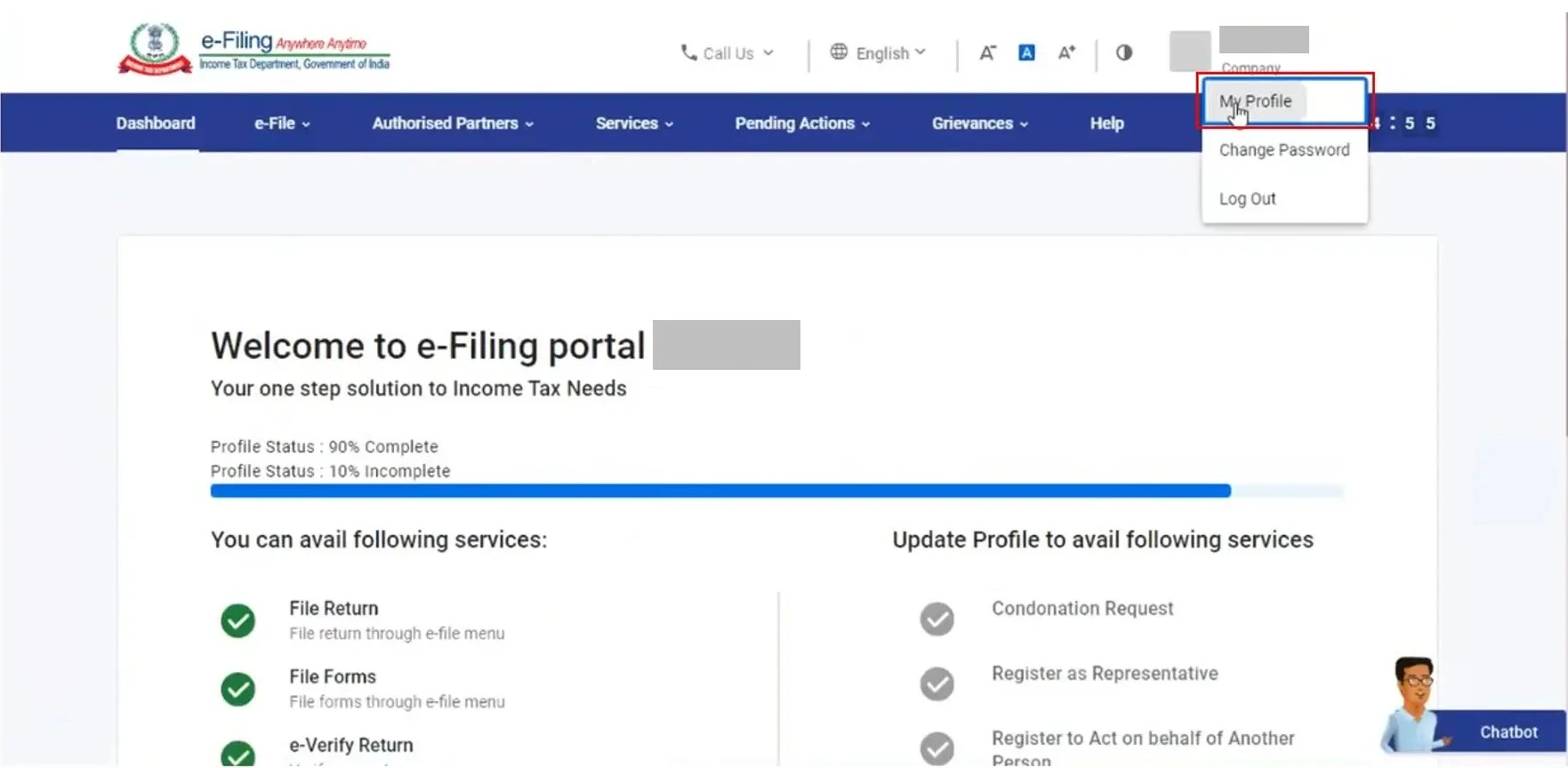
Step 2: Go to My Profile > Register/Update DSC
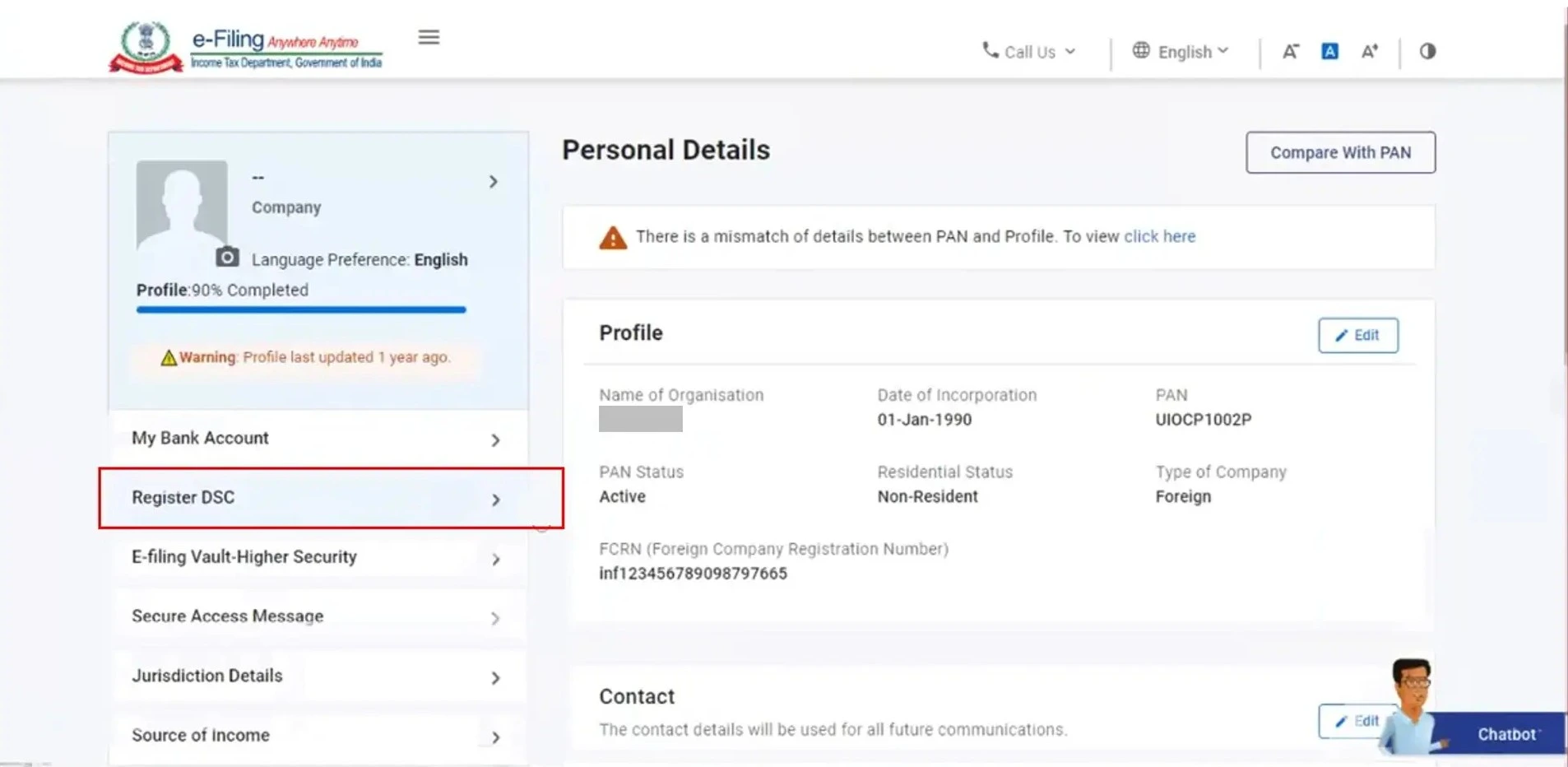
Step 3:Click on Register DSC on the left side of the screen
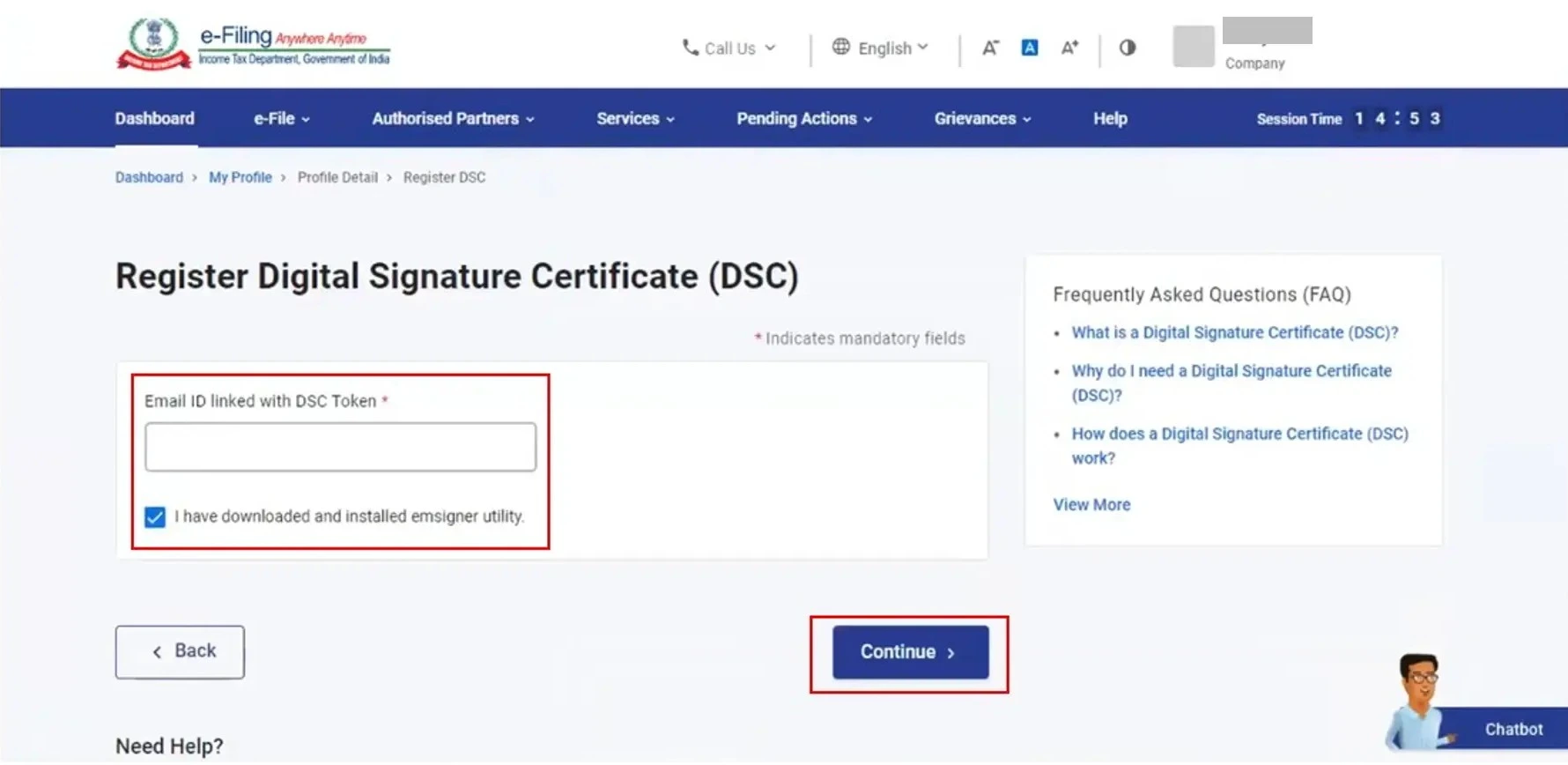
Step 4: Enter the email ID linked with the DSC token. Select I have downloaded and installed emsigner utility and click Continue.
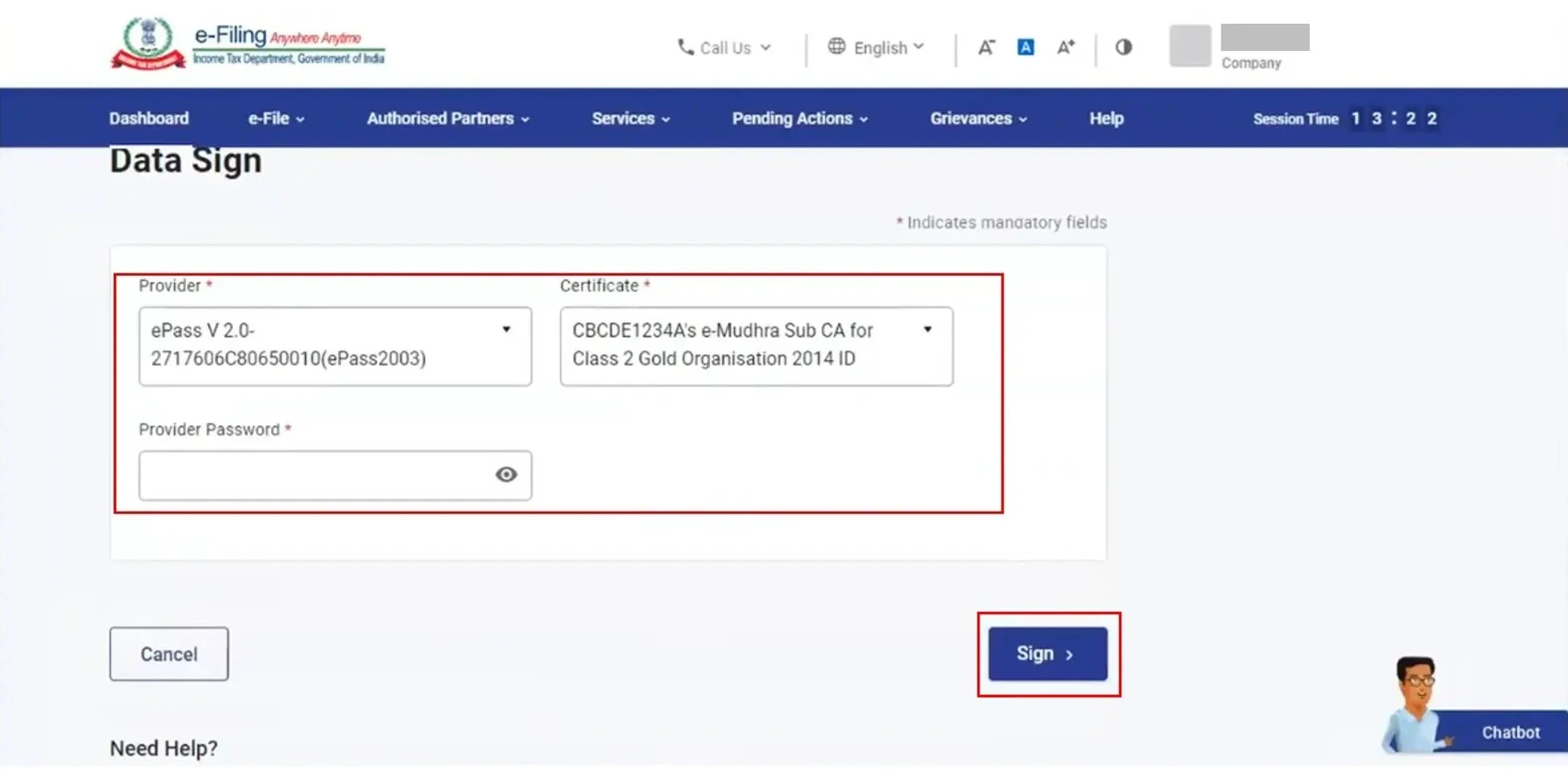
Step 5: Select the Provider and Certificate. Enter Provider Password. Click Sign.
Note: If you have to download the emsigner utility, you can click on the hyperlink for the same under Need Help.
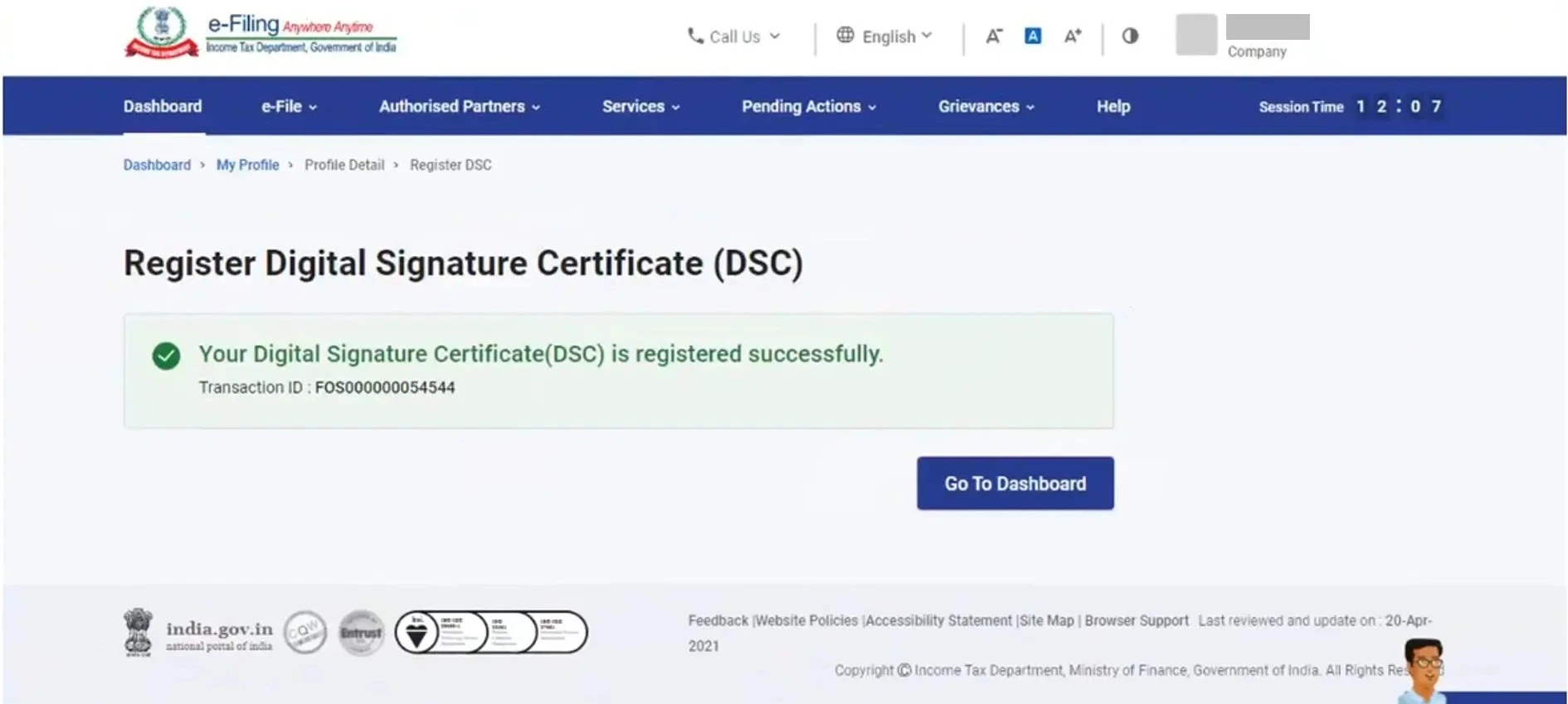
On successful validation, a success message will be displayed on screen with the option to go to the Dashboard.
Steps to File GST Return with DSC
Go to the GST Returns section
Select File with DSC
Fill the return form: GSTR-3B, GSTR-1
Choose the Authorized Signatory
Enter your DSC password and digitally sign
Receive an Acknowledgment Reference Number (ARN) for tracking
Legally binding and recognized by government authorities.
Tamper-proof authentication for all uploaded documents.
Faster submissions with fewer chances of rejection.
Mitigates risks of identity fraud or unauthorized filings.

The implementation of DSC in GST ensures not just compliance but also data security, convenience, and trust in the digital ecosystem. Whether you're an enterprise or a tax consultant, understanding the importance and procedure of using DSC in GST can significantly streamline your workflow and ensure you're aligned with regulatory mandates.By using platforms like Sleek Bill, businesses can efficiently manage GST filings, integrate DSC authentication, and maintain a smooth, error-free process.
 GST Export Invoice Format
Requirements for export invoice templates in GST.
 Credit Note Format
Why Need Credit Note?

Requirements for composition scheme documents.

GST features in online billing software.

Requirements for export invoice templates in GST.

Receipt of items or services for GST Exempt.

केंद्रीय वस्तु एवं सेवा कर

Receipt voucher record the receipt of payment.




Yes, it is mandatory for companies, LLPs, and other non-individual entities. Proprietors may choose EVC (OTP-based) as an alternative.
DSC is used for safe and legally compliant signing registration applications, filing returns, uploading documents, and claiming GST refunds.
It ensures authentication, security, and non-repudiation of sensitive tax data filed online. For companies and LLPs, it is required under GST law to maintain integrity.
Yes, a single DSC can be used for multiple GSTINs (GST Identification Numbers) as long as the authorized signatory is the same for all the registrations.
Yes. A DSC that has expired must be renewed through a licensed Certifying Authority and then updated on the GST portal using the same registration process.
 Free training & support
 60K Happy Customers Worldwide
 Serious about Security & Privacy
Secure your GST filings—Get your DSC now!
*Free & Easy - no hidden fees.
 Call Back Request