Sleek Bill GST Assistance – ChatGPT Plugin for All Your GST, E-Invoicing, Billing Needs
Tired of googling GST rules or waiting for help? Sleek Bill GST Assistance is here to make your life easier. It’s a smart ChatGPT plugin trained specifically to work with Sleek Bill and Indian GST laws. You can ask anything — from “How do I file GSTR-3B?” to “What’s the HSN code for printers?” — and get expert guidance right away. No manuals, no confusion — just clear, instant answers designed for Indian businesses.
What is Sleek Bill GST Assistance?
Sleek Bill GST Assistance is a effective ChatGPT plugin constructed for Indian agencies to automate and simplify the whole thing associated with GST, invoicing, e-invoicing, e-way bills, and compliance. Instead of spending hours studying manuals or looking on-line for answers, you could now get expert steerage inside seconds by simply asking your query inner ChatGPT.
From tax rates to filing returns, this plugin acts as your virtual GST consultant, trained specifically on Sleek Bill software and India’s latest GST norms.
What Can Sleek Bill GST Assistance Help You With?
Here’s how Sleek Bill GPT empowers your business:
Instant GST Information
Get accurate answers without browsing government portals
Try prompts like:
“What is the GST rate for electronic items?”
“Tell me the HSN code for laptops.”
“How to apply for GSTIN registration?”
E-Invoicing Made Easy
Understand the IRN generation process, cancellation deadlines, and validation rules.
Ask:
“How to generate an e-way bill for a GST invoice?”
“What to do if an IRN is already generated?”
“Steps to cancel e-invoice within 24 hours?”
E-Way Bill Process Support
Ensure compliance for goods movement across states with real-time assistance.
Ask:
“How to generate an e-way bill for a GST invoice?”
“What are the documents required for e-way bill?”
“How to extend e-way bill validity?”
Invoicing & Billing Guidance
Learn how to efficiently use Sleek Bill for all your invoicing needs.
Ask:
“How to create a GST invoice in Sleek Bill?”
“Show me how to apply discount and GST in one invoice.”
“How to generate sales reports in Sleek Bill?”
Sleek Bill Software Process Walkthrough
Get step-by-step help navigating Sleek Bill’s interface and features.
Ask:
“Guide me to create a new customer profile.”
“How to set up my GST details in Sleek Bill?”
“Steps to generate GSTR-1 JSON file for filing returns.”
“How to print a thermal receipt on 80mm paper?”
Additional Prompts You Can Try
| Category |
Example Prompt |
| GST Overview |
“Explain CGST, SGST, and IGST in simple terms.” |
| HSN/SAC Codes |
“What is the HSN code for LED TVs?” |
| GSTR Filing |
“How to file GSTR-3B using Sleek Bill?” |
| E-Way Bill |
“What is the distance limit for e-way bill?” |
| Input Tax Credit |
“Can I claim ITC on office rent?” |
| Invoice Customization |
“How to add company logo to Sleek Bill invoice?” |
| Billing Format |
“Show me proforma invoice format in Sleek Bill.” |
Why Businesses Should Use Sleek Bill GPT
Using Sleek Bill GST Assistance isn’t just convenient — it’s transformational for modern Indian businesses.
Saves Time on Compliance and Billing: Eliminates manual lookups and repetitive tasks.
Avoids Late Filing Penalties: Never leave out a closing date with well timed prompts and reminders.
Reduces Dependency on External Consultants: Your AI-powered assistant can answer over 90% of compliance questions instantly.
Empowers Internal Staff with 24/7 Support: No waiting on customer support — just ask and get accurate help anytime.
Perfectly Suited for Indian Businesses Following GST Norms: Every answer is aligned with Indian GST rules, formats, and statutory compliance.
How to Use Sleek Bill GST Assistance in ChatGPT
Follow these simple steps to activate and start using the Sleek Bill GST Assistance GPT in ChatGPT:
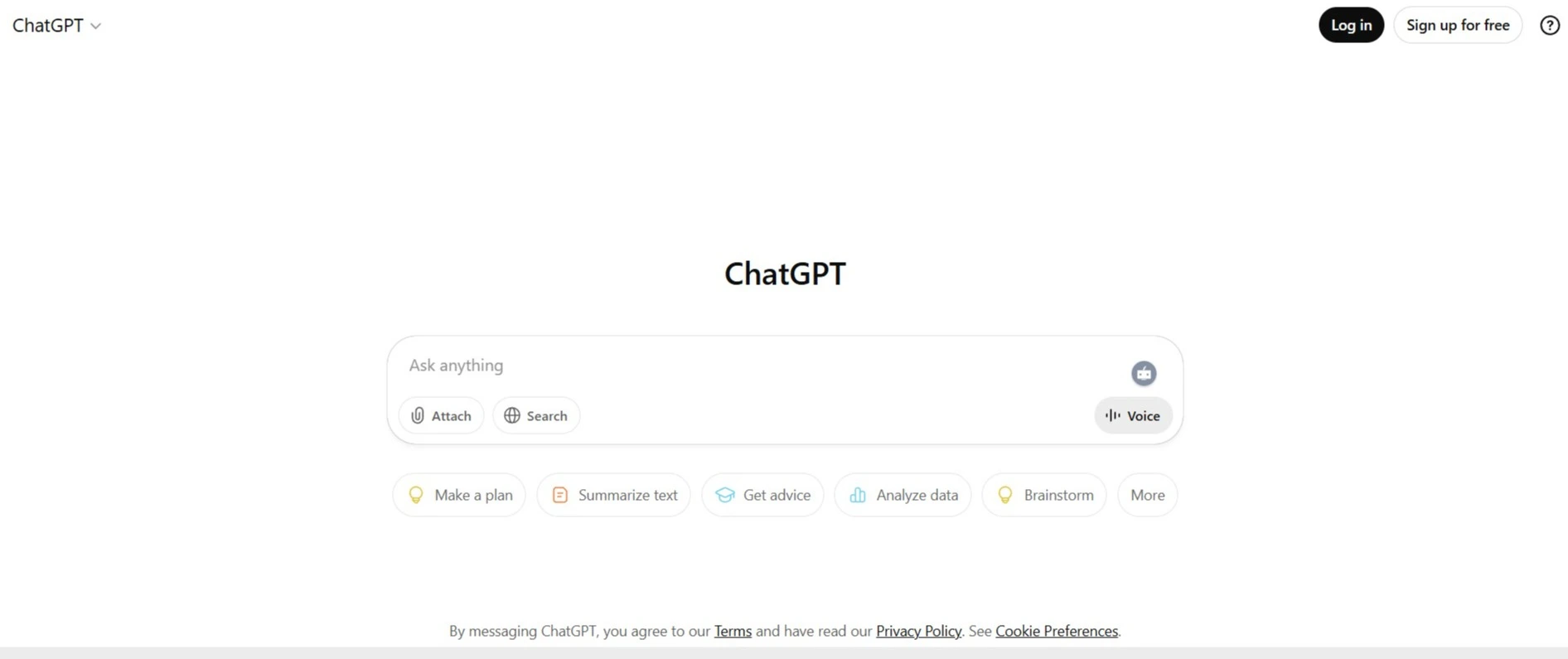
Step 1: Open ChatGPT
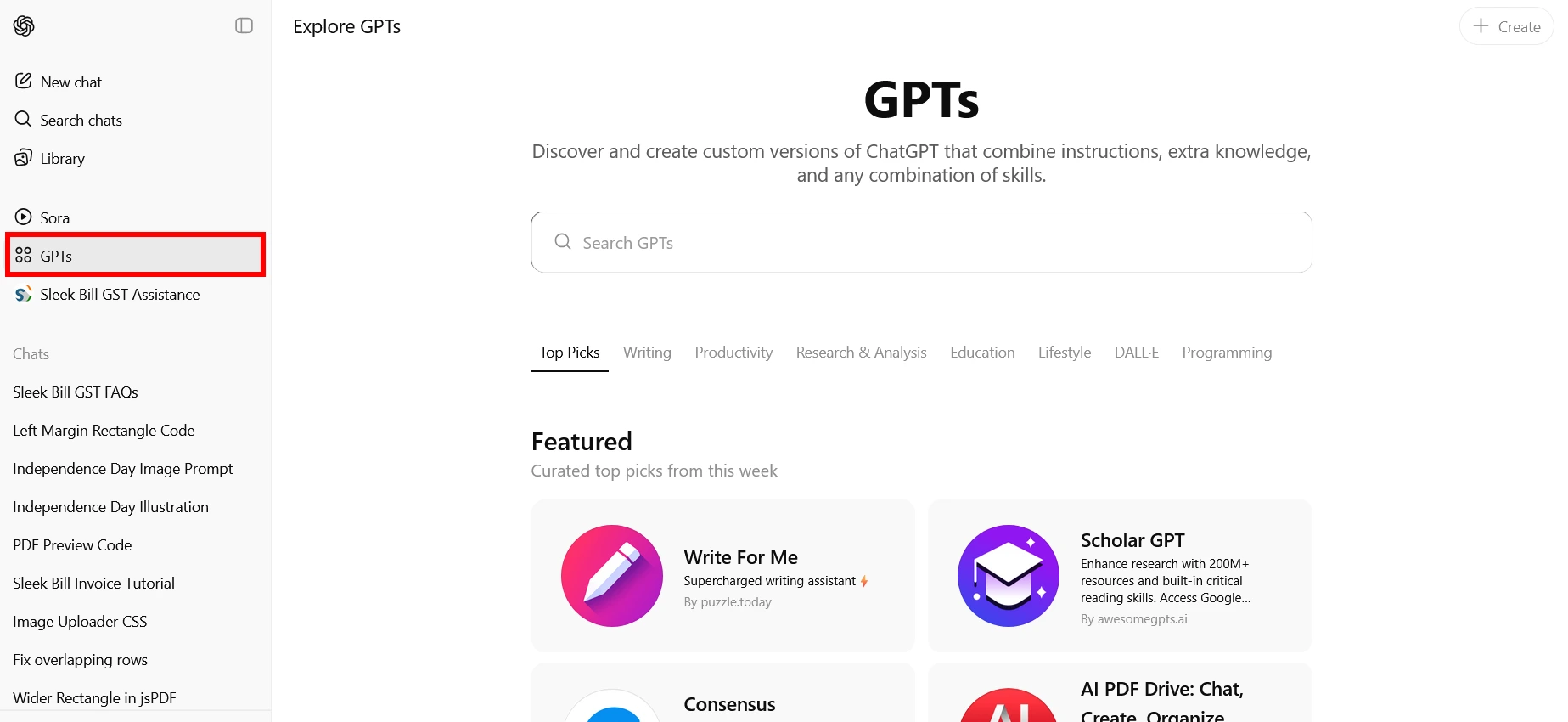
Step 2: Access GPTs
On the ChatGPT home display, click on the Explore GPTs button (normally found within the left sidebar or below the “GPT-4” tab).
This opens the GPTs directory in which you can browse and search for custom GPTs.This opens the GPTs directory in which you can browse and search for custom GPTs.
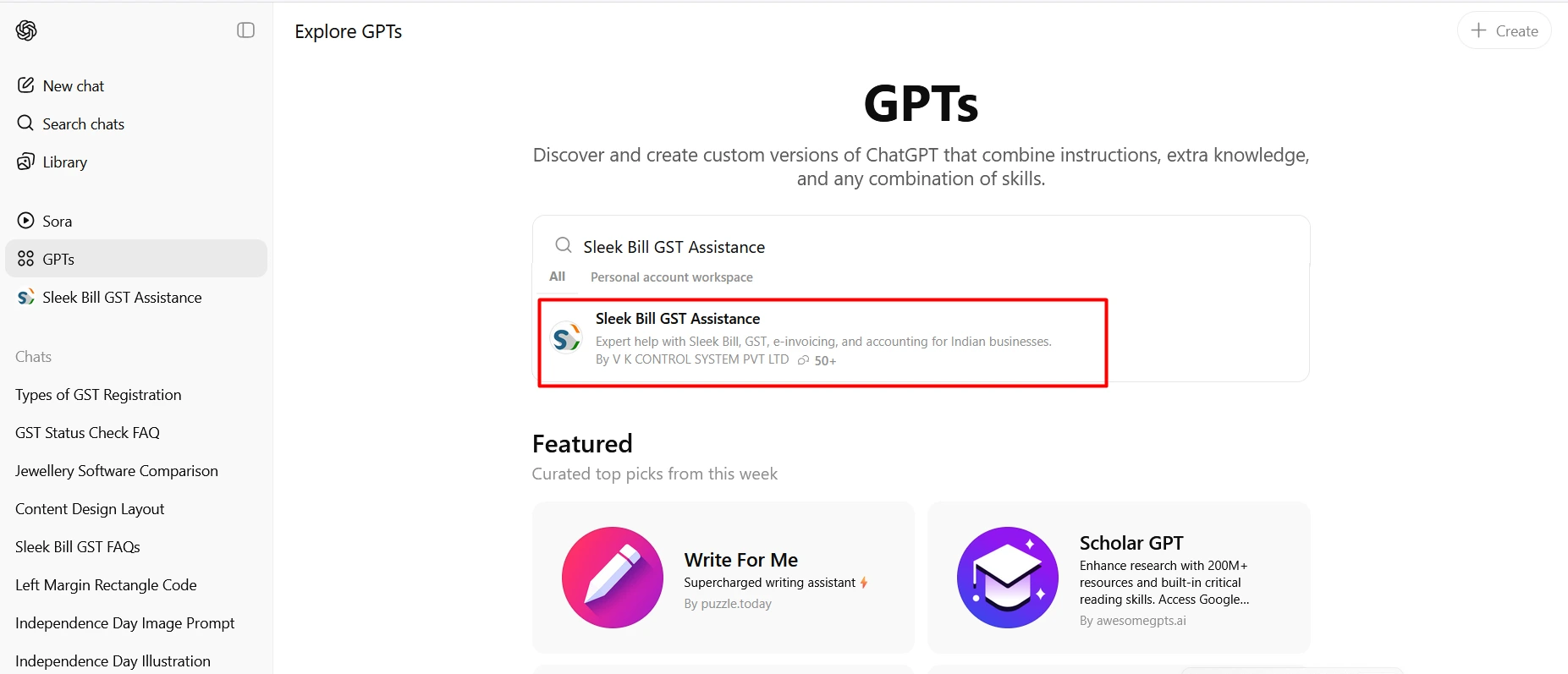
Step 3: Search for Sleek Bill GST Assistance
In the search bar, type "Sleek Bill GST Assistance".
Look for the official Sleek Bill GPT icon or description.
Step 4: Click and Start Using
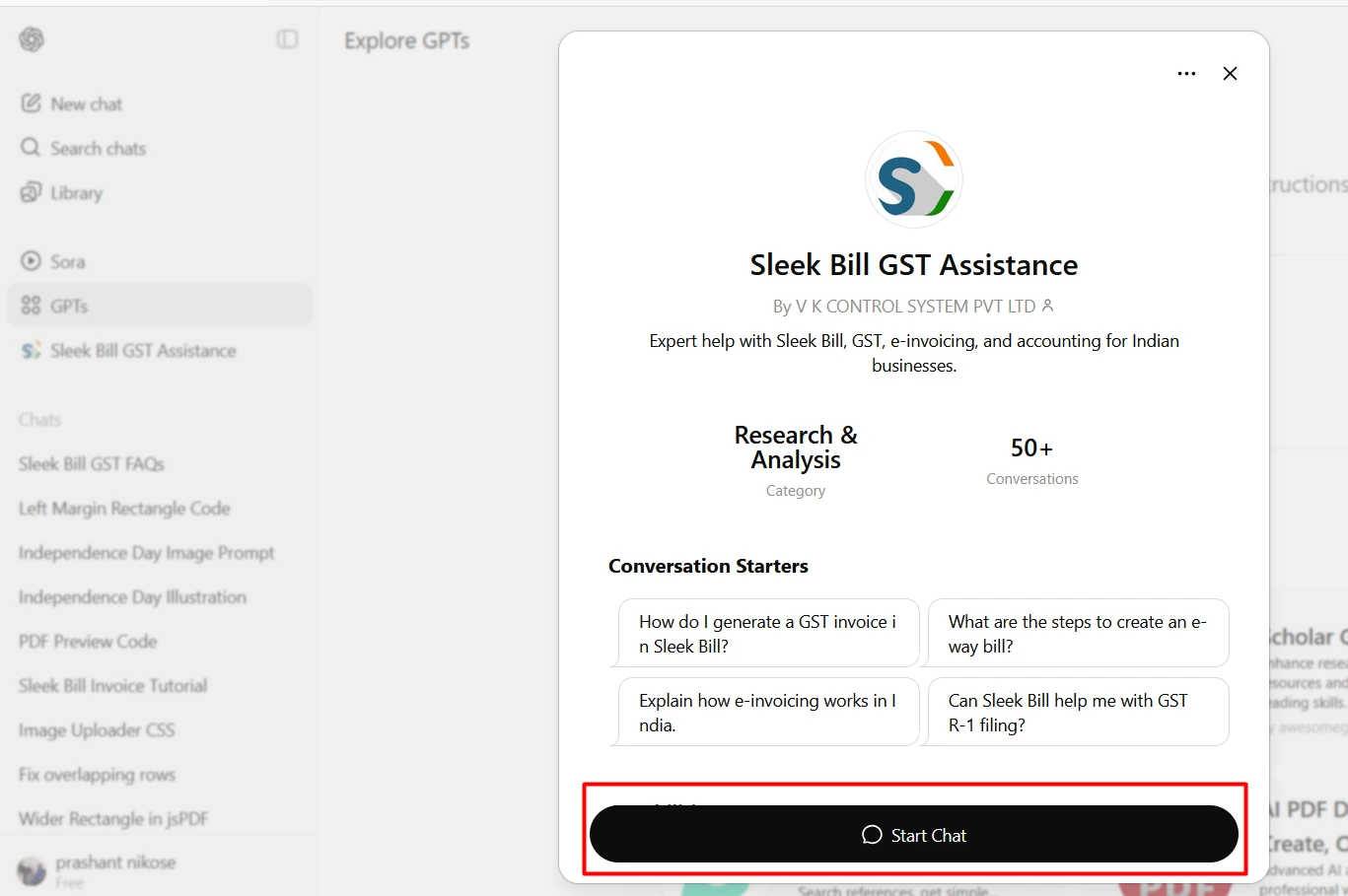
Click on the Sleek Bill GST Assistance GPT from the search results.
Hit “Try” or “Chat” to launch the assistant.
Start typing your query like:
○ “How to generate an e-invoice in Sleek Bill?”
○ “Give me the HSN code for printers.”
○ “Steps to file GSTR-1 from Sleek Bill software.”
“Steps to file GSTR-1 from Sleek Bill software.”
Tip: Once open the Sleek Bill GPT Assistance, bookmark the GPT in your favorites for faster access later.
If you’re a startup, SME, or an established commercial enterprise in India, Sleek Bill GST Assistance is the easiest way to navigate GST, billing, and compliance without delays or confusion. Whether it’s HSN codes, e-invoicing, or return filing, you can now handle everything confidently using a single, AI-powered plugin.
 Call For Demo 9168696091/92/93







 GST Export Invoice Format
 Credit Note Format







 Free training &
support
Free training &
support 60K Happy Customers Worldwide
 Serious about