
 Call For Demo 9168696091/92/93







Invoice Template Format
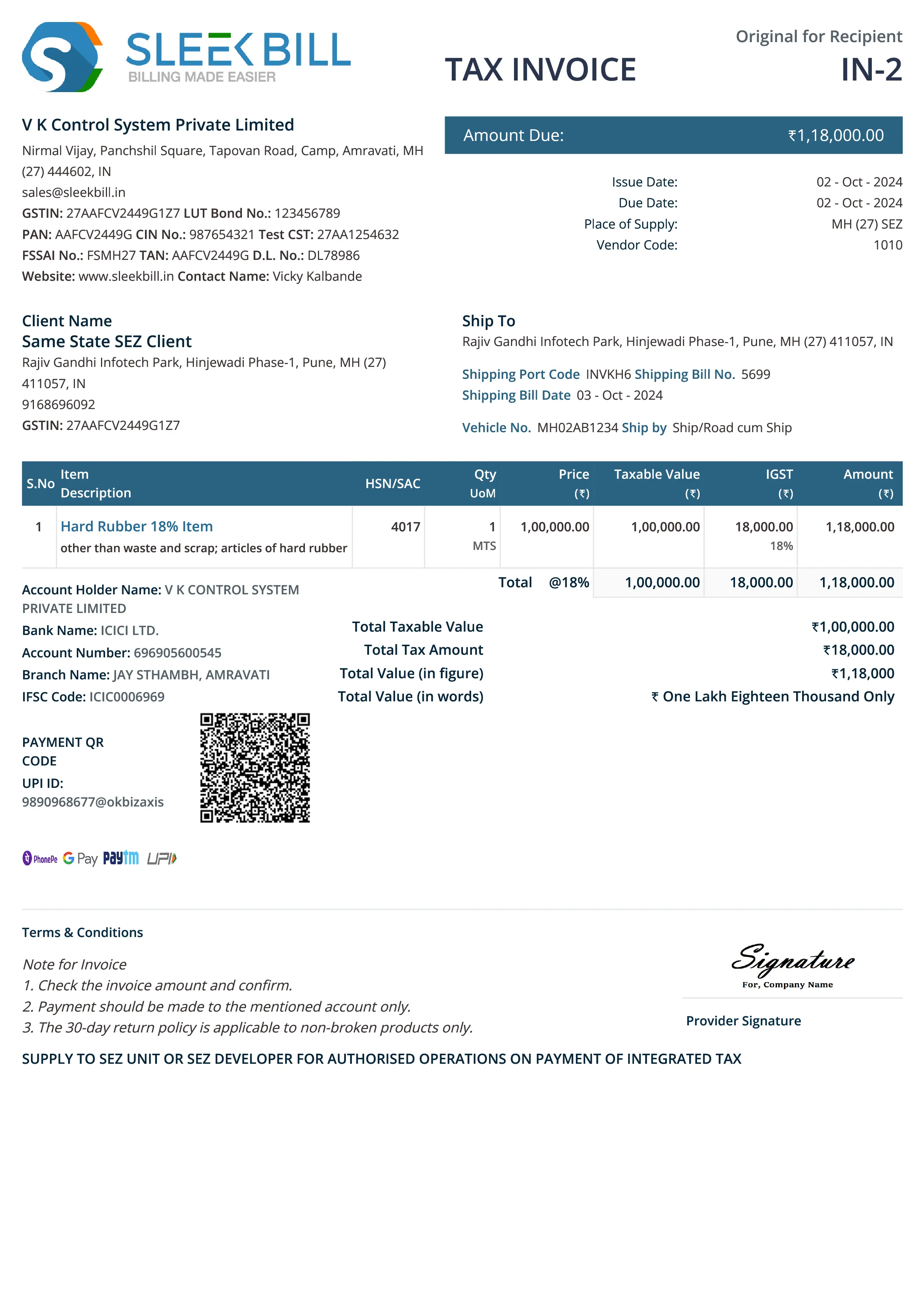
Download Sales Invoice Format
-
Business Logo.
-
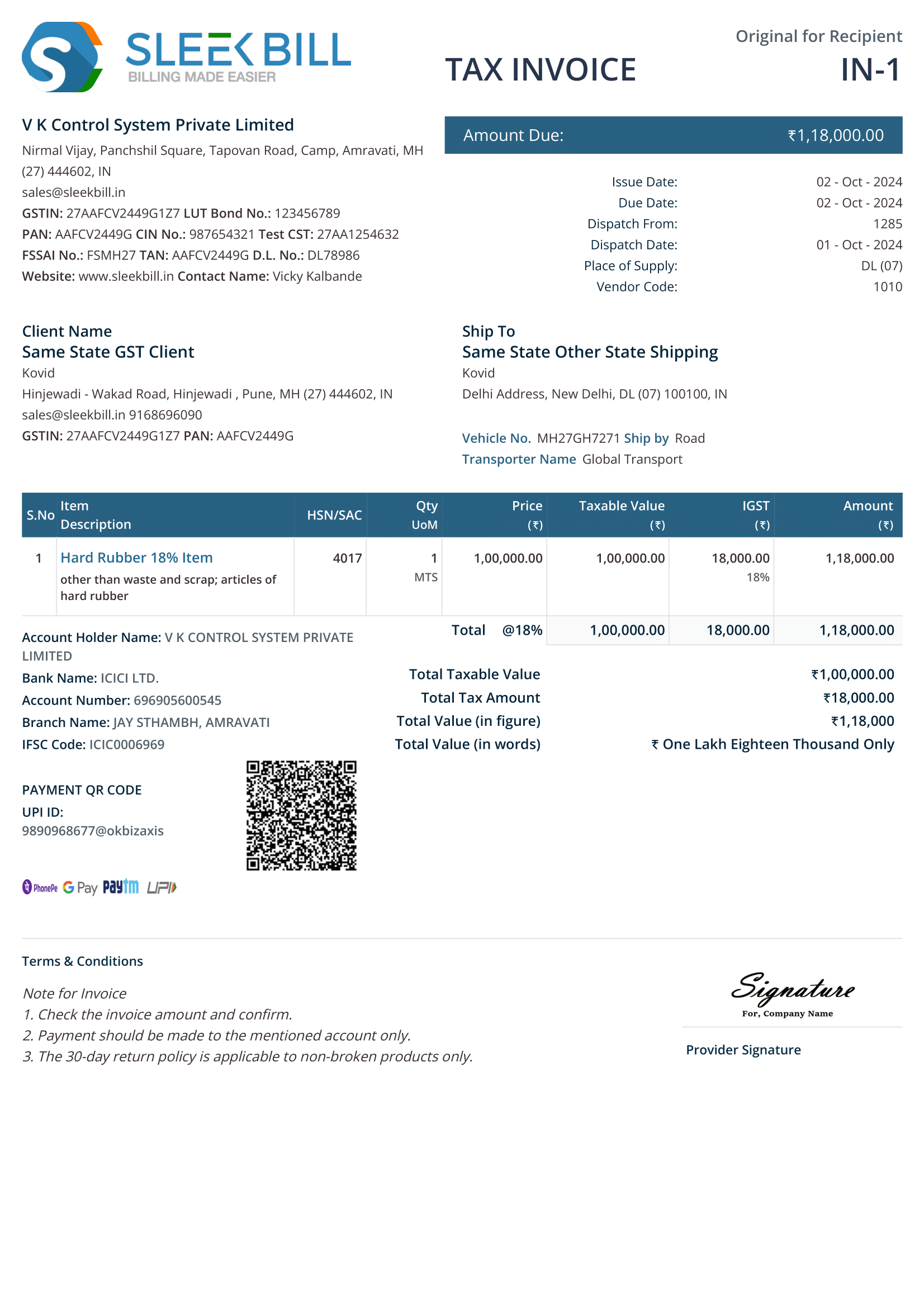
Invoice Title.
Invoice Number Parties’ Details.
Company Details – Business name, address, contact, email.
Client Details – Client name, company name, GSTIN, contact details Product List.
List of products or services provided.
Description, unit price, tax, quantity, and discounts Total Calculation.
Tax amount and total taxable amount
Grand total in words and numbers with currency declaration
Terms & Conditions – Payment terms, return policy, legal notices
Authorized Signature
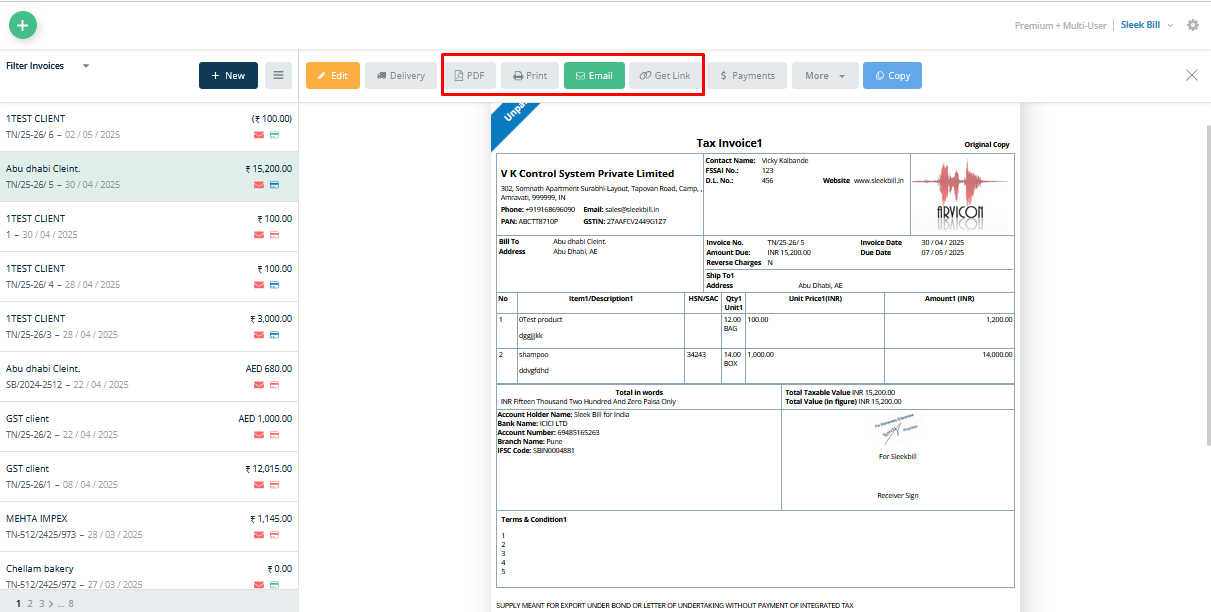
How to Make an Invoice in Sleek Bill with Easy Invoicing
Creating an invoice With Sleek Bill’s easy invoicing takes just a few steps:
-
Log in or Sign up – On the Sleek Bill easy invoicing platform.
-
Go to the Invoices section.
-
Click on New Invoice.
-
Enter client details – name, address, payment terms, due date.
-
Add service or product details – rates, quantities, discounts, and taxes.
-
Include terms and conditions – if applicable.
-
Save, preview and send your invoice instantly - Check the format before saving.
( Tip: You can download as PDF or send by email or messaging apps using Sleek Bill’s easy invoicing system.)
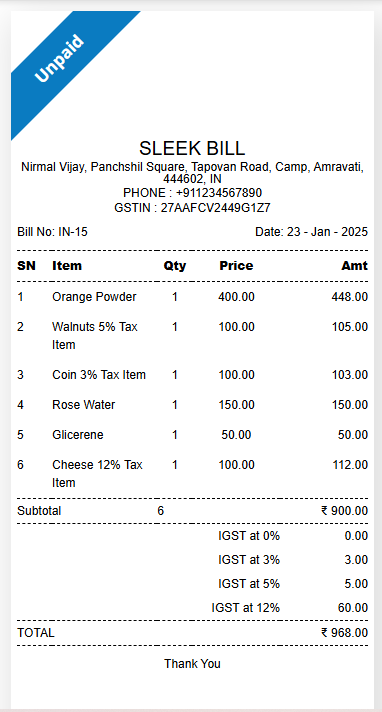
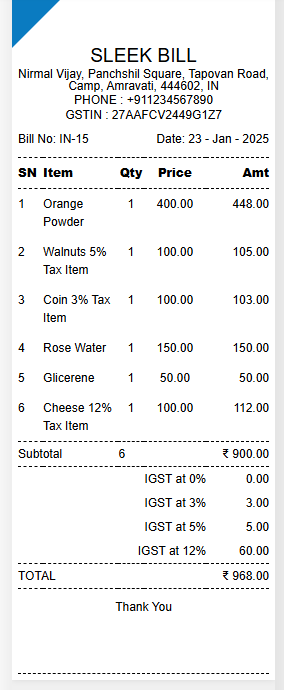
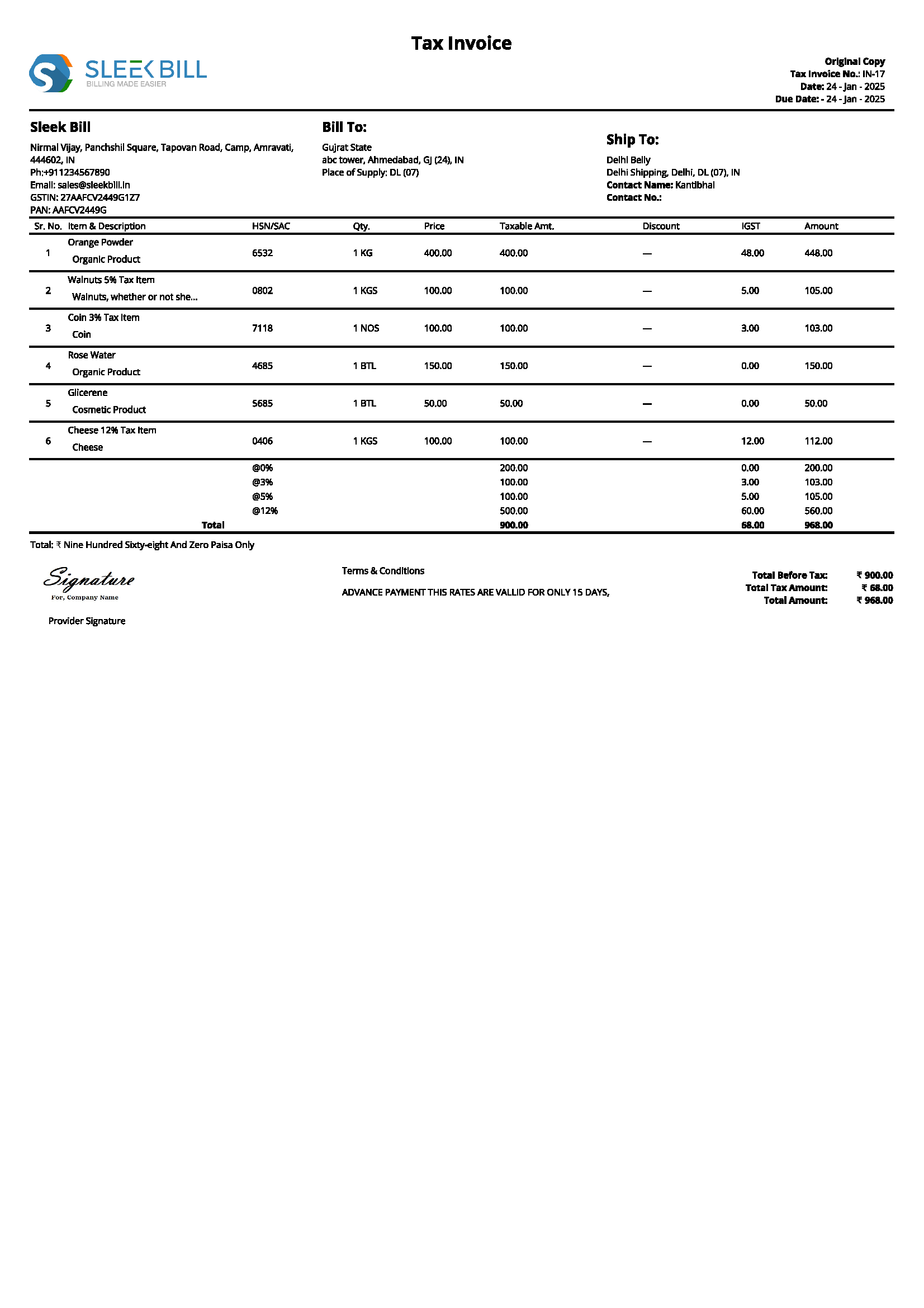
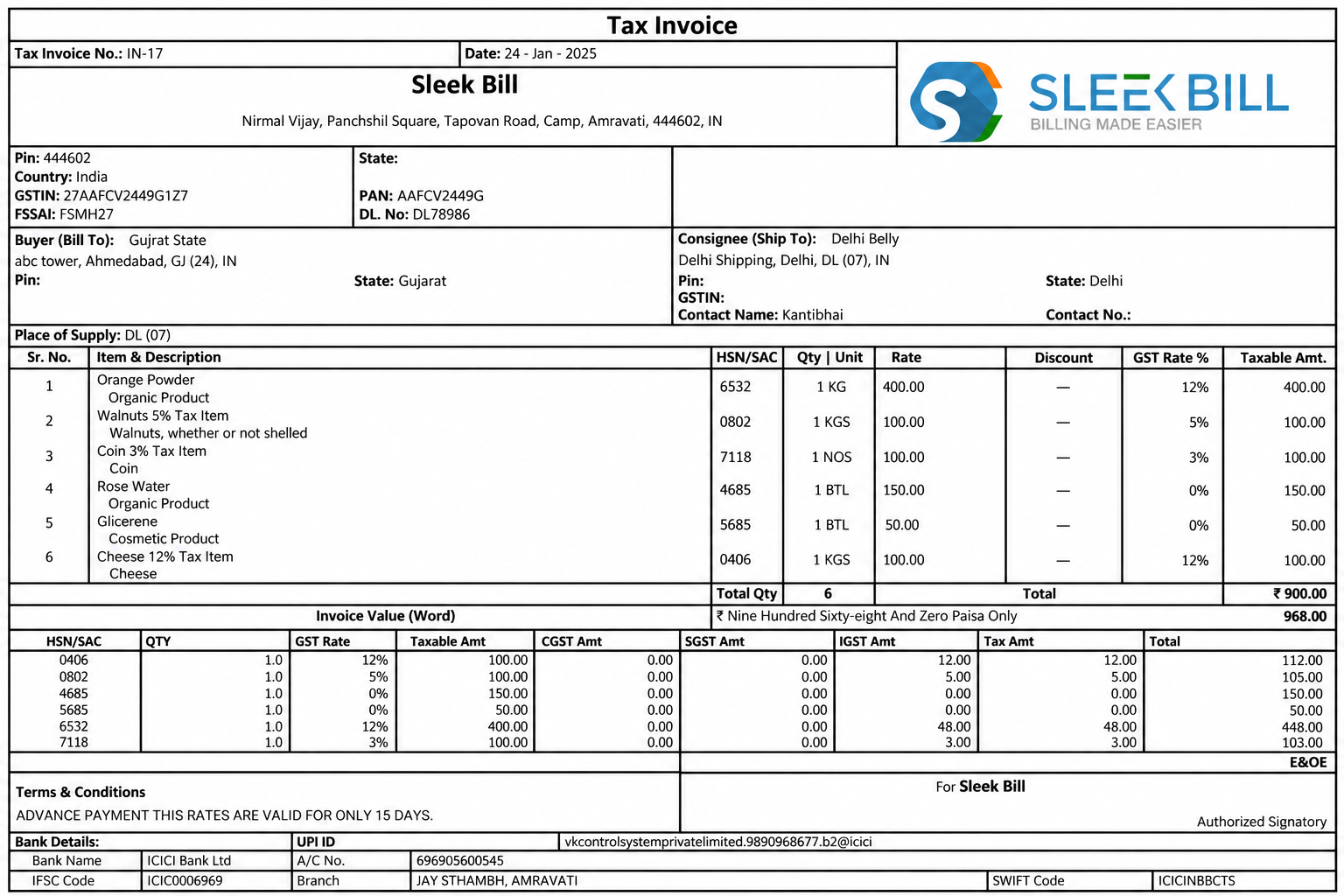
Templates Available

How to Send an Invoice in Sleek Bill ?
-
Send invoices directly via email to clients.
-
Download the invoice as a PDF for records.
-
Print invoices instantly for physical documentation.
-
Send invoices via link.
Key Elements of an Easy Invoicing System
A professional invoice should include these components:
1.Company Logo
-
Builds brand identity
-
Adds credibility and professionalism
2. Company Name & Details
-
Include legal business name, contact info, and registration details.
3. Client Information
-
Clearly list recipient name, address, and tax ID if applicable.
4. Invoice Number
-
Unique for every invoice to help with tracking and compliance.
5. Date of Issue
-
Important for tax and accounting purposes.
6. Description of Goods/Services
Itemized list with service names, quantities, and prices
7. Itemized Fees
-
Breakdown of charges, taxes, discounts, or extra fees.
8. Balance Due
-
Final amount payable including tax
9. Terms & Conditions
-
Outline payment due dates, return policies, or warranty terms
By following these elements, Sleek Bill’s easy invoicing ensures professional,accurate, and legally compliant billing.
Invoice Generator Alternatives.
While Sleek Bill offers a seamless online invoice builder, businesses may also consider.
-
Excel Invoice Templates – Manual calculations required.
-
Word Invoice Templates – Limited design flexibility
PDF Invoice Templates – Requires external editing.
Google Docs Invoice Templates – Collaborative but not automated.
However, these alternatives lack automation, tax calculations, and real-time tracking, making Sleek Bill the ideal solution.
All Your Invoicing Needs Covered
Sleek Bill goes beyond just billing. It helps you create estimates, track expenses, and generate reports that support your business decisions.
1. Start with an Estimate
-
Convert estimates into invoices with one click
-
Impress clients with professional, branded templates
2. Customize Your Invoice
-
Add your logo
-
Use predefined templates suited to your industry.
3. Generate Financial Reports
-
Access critical insights from one central document.
-
Use for tax filing and performance review.
4. Online Invoice Generator
-
Create, send, and manage invoices from any device.
-
Cloud-based for data security and accessibility.
5. Business Expense Tracker
-
Track every penny.
-
Organize and export expense data with ease.
With Sleek Bill, you can create, send, and track invoices seamlessly—all for free! Start using Sleek Bill today and experience hassle-free easy invoicing!
Why choose Sleek Bill for Easy Invoicing?
Quick Simplicity
-
Fast and intuitive interface
-
Create invoices in under a minute without technical knowledge
Effortless Invoicing
Less hard work, more productivity.
-
Send professional-looking invoices with ease.
Simplified Efficiency
Manage multiple clients, track payments, and stay tax-ready.
Reduce manual errors with auto-filled fields.
 GST Invoice Format
 GST Billing Benefits


 GST Credit Note
 GST Online Advantages






 Free training & support
 60K Happy Customers Worldwide
 Serious about